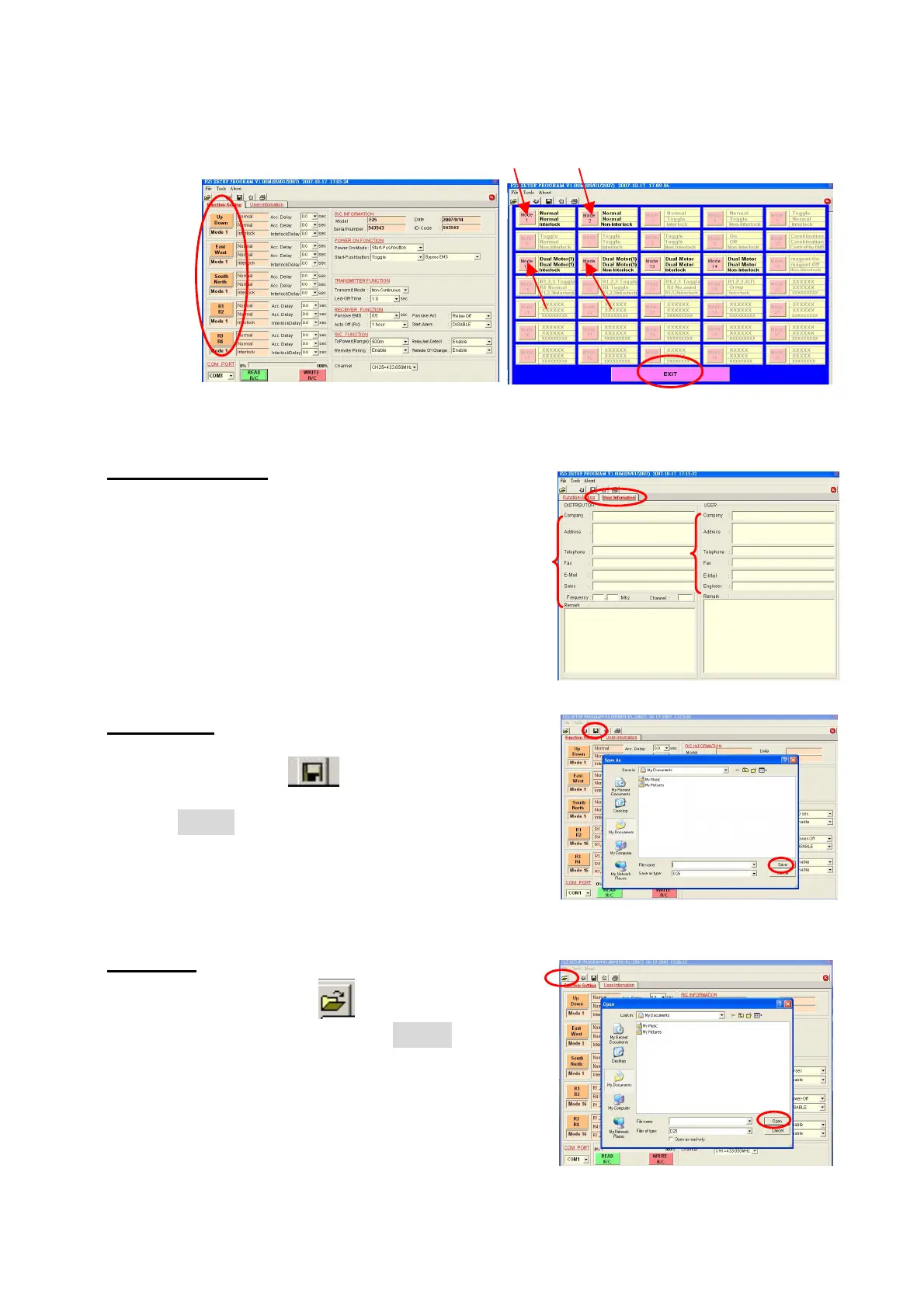
User-Information
Customer data sheet: Allow you to store the
customer information such as company name,
purchasing date, address, and phone etc.
1. Click “User-Information”
2. Fill the information.
Saving data
To save radio function and customer data
1. Press Save button
2. Select the saving folder and file name then
press
SAVE
Open File
To open file (data)
1. Press open file button or select LOAD
2. Select the file name then press
OPEN
(
Function Table)




 To Next Page