Appendix E Troubleshooting 143
Perform the following system checks to resolve this error:
• Verify the desired device is connected to the Host Computer and powered on.
— If LightField cannot detect a spectrograph that has been verified as being
connected and powered on, cycle the power on the spectrograph.
LightField should now detect it.
— If LightField cannot detect a camera that is powered on and connected via
the GigE interface, UDP ports 20200-20202 may need to be opened.
These ports must be open before LightField can detect a Teledyne
Princeton Instruments GigE camera, but they may have been closed as part
of Host Computer security (e.g., an anti-virus program or a firewall.)
Contact the local Information Technology specialist for assistance.
• Cancel the experiment load.
Canceling a load means that the last used experiment will not be loaded
automatically when LightField opens. However, the experiment can be loaded
within LightField after all devices have become available.
Alternatively, a new experiment design can be started, or a different experiment
can be loaded that specifies the available equipment.
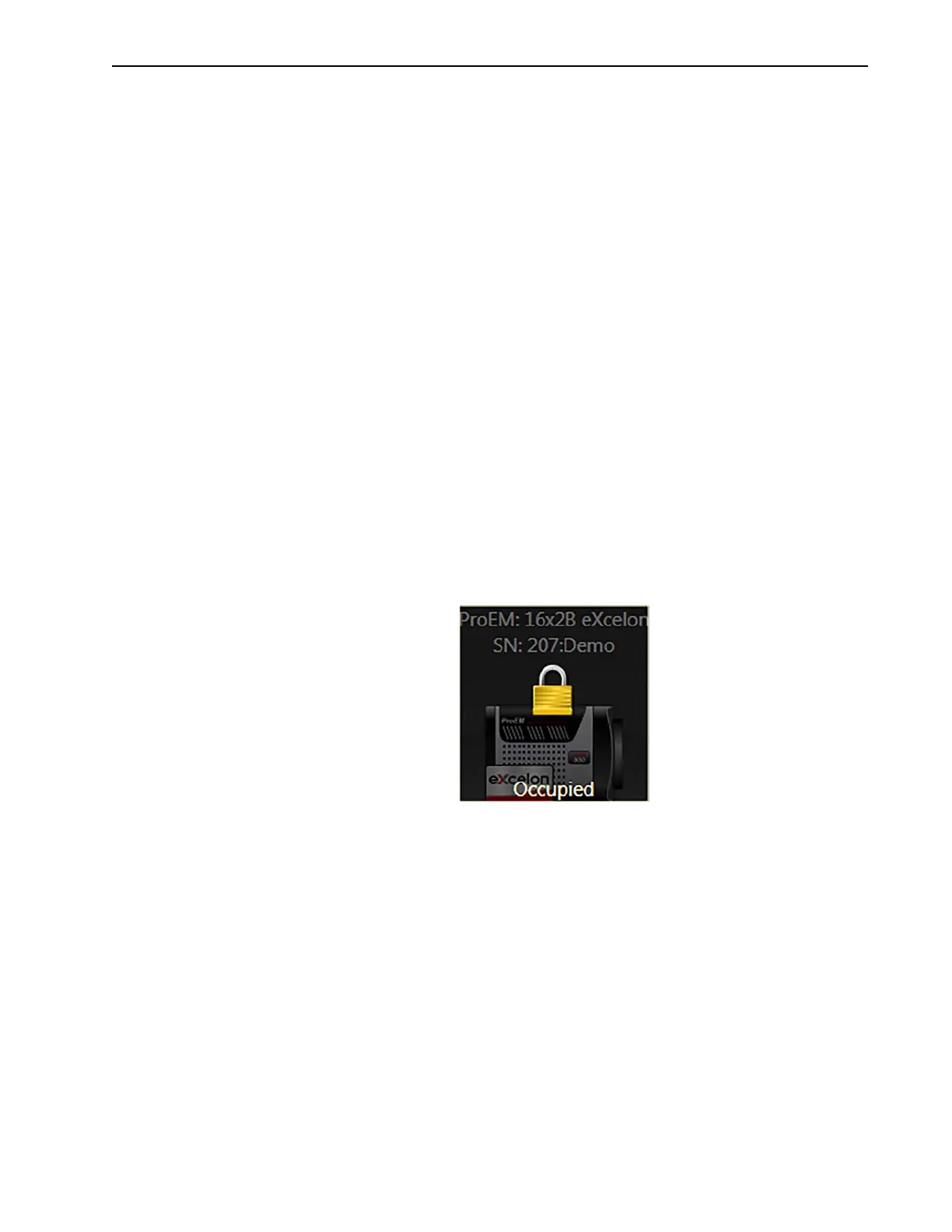
E.12 Device is Occupied
It is possible for multiple instances of LightField to be running simultaneously. However,
any device currently being used by one instance of LightField will be shown in the
Available Devices area as Occupied for all other instances of LightField.
Figure E-7 illustrates how LightField indicates that a device is currently in use by
another instance of LightField and is not available for use.
Figure E-7: Typical LightField Device Occupied Indicator
To make a device available for use by the current instance of LightField, either remove it
from the Experiment Devices area in the other instance or close the instance that is
using the device. The data acquisition may then be started.





 To Next Page