Before you start
5
5
Before you start
Connection
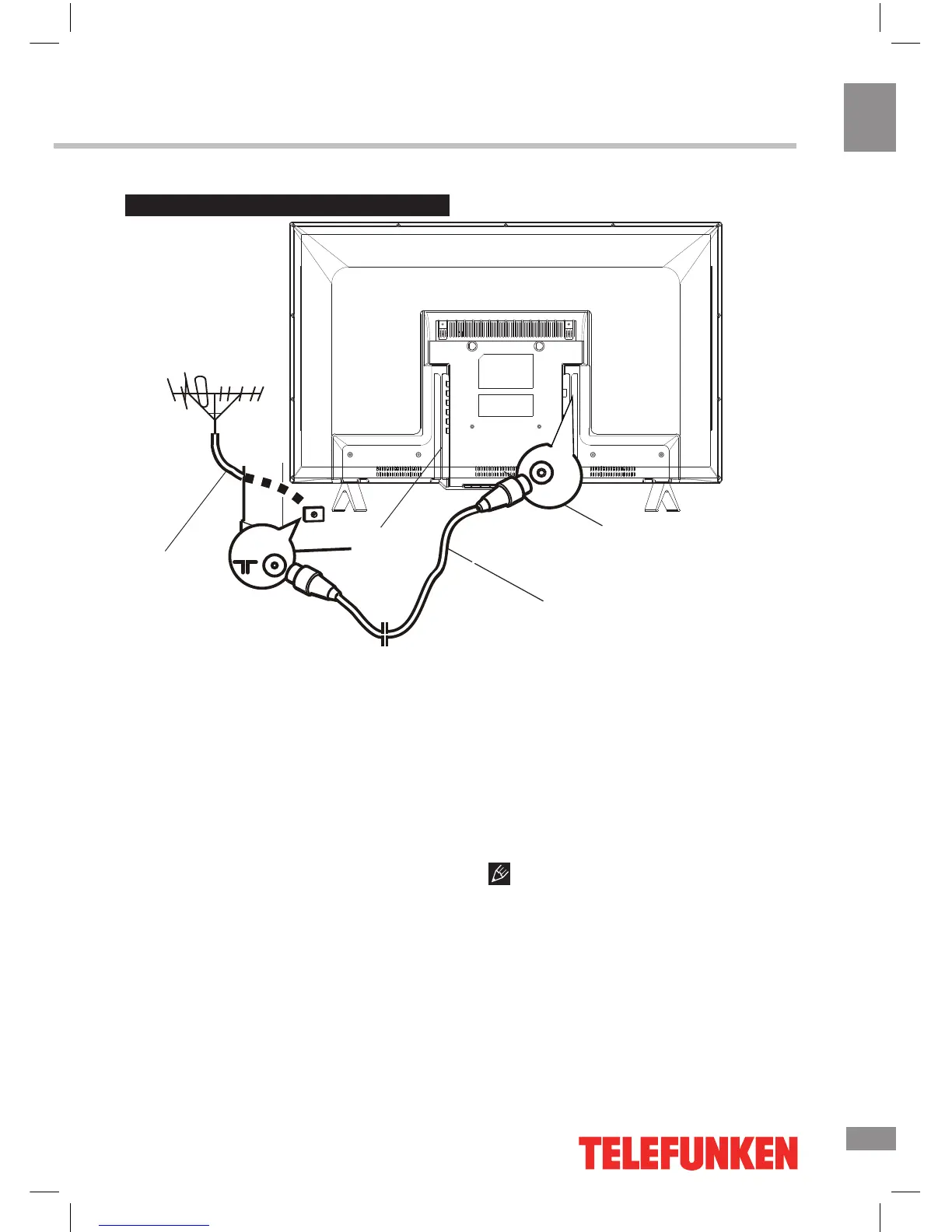
Outdoor antenna connection
Use 75Ω cable plug or 300-75Ω impedance
converter to plug in antenna input terminal on
the rear of the cabinet.
Other connections
• Connect a video source to the Composite
video input jack with RCA cable (not included).
• Connect an audio source to the proper
Audio input jacks (left and right).
• When using the unit as a computer
screen, connect the PC to the VGA jack of
the unit by the relevant cable to get the video
signal from the PC. For audio signal from the
PC, connect the left and right jacks of the
VGA/Component audio input of this unit to the
audio output jack of the PC by using relevant
connector (not included).
• If the video source has a HDMI output
jack, you can connect the signal to the unit by
HDMI cable (not included).
• Component input is intended for receiving
component video signal if connected to the
component output of external signal source.
• Connect an external device (e.g., VCR-/
DVD-recorder) to the proper Audio/Video
output jacks of this unit with AV RCA cable (not
included).
Please note that AV2 and component
input (YPbPr) share the same socket so make
sure that if the one or the other input is used,
you choose the corresponding source signal
(press the SOURCE button).
TVRF antenna





 To Next Page