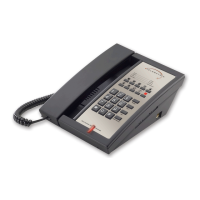
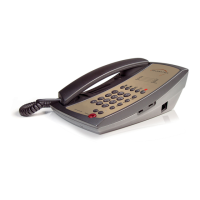
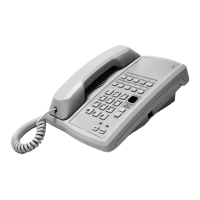
10 www.telematrix.net 3300 SERIES ANALOG USER GUIDE
MESSAGEWAITING SWITCH
There are two (2) slide switches located on the
base unit under a plastic cover. Use a sharp pointer
to remove the switch plastic cover plate to expose
the two switches.
These switches control how the message-waiting
lamp (MWL) works:
Position: Mode:
TYPE Responds to high-voltage (neon
type) MWL signaling, and also
to low-voltage (LED type) MWL
signaling
LR1 Reverse polarity MWL, polarity 1
LR2 Reverse polarity MWL, polarity 2
The second switch (ON/OFF) enables the MWL
when switched on, but completely disconnects the
MWL circuit when switched off.
The default message-waiting switch settings
should be:
• Message Waiting ON/OFF switch needs to be
set to ON.
• Message Waiting TYPE/LR1/LR2 switch needs
to be set to TYPE.
RINGER VOLUME CONTROL SWITCH
There is a slide switch located on the left side of
the base unit that is used to adjust the loudness
of the ringing sound. A low and high setting are
provided. Select the desired loudness by sliding
the switch to the appropriate position.
Operation (Two-Line)
LINE STATUS INDICATORS
The 2-line TrimLine is equipped with LED
indicators to show the current status of the
telephone lines. They are:
Ringing Line: LED is blinking red.
Line In-Use: LED is steady green.
CONNECTING THE LINE CORD
Plug the end of the 15-foot modular telephone line
cord into the jack on the top of the base unit. Plug
the remaining end of the line cord into a standard
telephone outlet.
CONNECTING THE HANDSET CORD
Plug one end of the modular coiled handset cord
into the receptacle located on the left side of
the base unit. Plug the remaining end into the
receptacle on the handset.
Wall Mounting
The TeleMatrix Trimline telephone can be wall
mounted to a standard telephone wall jack plate.
Using the 3.5-inch line cord, plug one end into
the receptacle on the bottom of the base unit.
The remaining end will plug into the wall jack.
Carefully align the slots on the bottom of the base
unit with the wall mount studs on the jack plate.
Once aligned, slide the base unit onto the studs
and snap the base unit into place.
HANDSET RETAINING CLIP
The handset retaining clip must be activated to hold
the handset when wall mounting the telephone.
Turn the wall mount clip 180 degrees.
Switch Setting
FLASH SWITCH
There is a 3-position slide switch located on the
handset under the plastic cover. Use a sharp
pointer to remove the switch plastic cover plate to
expose the switch.
The FLASH key can provide a 100 ms/300 ms and
600 ms time line break. After setting switch, hang
up and then remove handset from its cradle to
activate new switch position.


 To Next Page