3300 SERIES ANALOG USER GUIDE www.telematrix.net 7
2. The second call can be established by
selecting the idle line key and dialing the
call.
3. When the second call is established,
activate the 3-way conference call by
pressing CONF key. Line 1 and Line 2 will
automatically bridge together and all three
parties can now converse.
4. To end the call, simply hang-up by placing
the handset back in its cradle (on-hook) or
by pressing the SPEAKER key.
5. If you wish to continue speaking with one of
the callers and wish to drop the other caller,
simply press the line key of the caller you
wish to continue speaking with. The other
caller will automatically drop-off.
(Does not apply to non-speakerphones.)
CALLING
PLACING A CALL USING THE HANDSET
• Lift the handset (off-hook position).
• Dial out by using the numeric dial pad or by
pressing a speed dial location.
RECEIVING A CALL USING THE HANDSET OR
SPEAKER
• On a single-line telephone, when the
phone rings, either lift the handset or
press the SPEAKER key, should you have a
speakerphone, to begin the conversation.
• On a two-line telephone, when the phone
rings, the line LED indicator will blink to show
which line the call is coming in on. Select
the blinking line key, then lift the handset or
press the SPEAKER key, should you have a
speakerphone, to begin the conversation.
PLACING A CALL USING THE SPEAKERPHONE
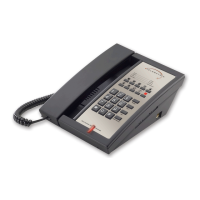
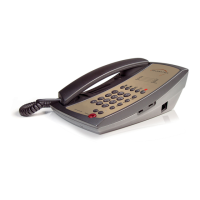
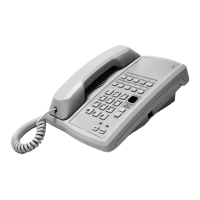
The 3300 Series speakerphones are equipped
with a high quality speakerphone feature to allow
hands free operation. To use, simply press the
SPEAKER key when placing or answering a call.
RINGER VOLUME CONTROL
The ringer volume control switch is on the right
side of the phone.
Settings are either Low or HI (High), for both lines
1 and 2.
INDICATORS
SPEAKER AND MUTE KEY CONNECTING AND
STATUS INDICATORS
Speakerphones are equipped with LED indicators
to show the current feature key status.
• Press SPEAKER or MUTE feature key to use
that service—LED will light green when that
key is in use.
USING THE MUTE FEATURE ON
SPEAKERPHONES
A MUTE key is provided to allow privacy during
a background conversation. When the MUTE key
is activated, the microphones in the handset and
speakerphone are disabled. When the MUTE
feature is activated, the caller will not hear your
voice. The MUTE key will light to show that the
feature is activated. To de-activate, press the
MUTE key again.
(Does not apply to non-speakerphones.)
USING THE CONFERENCE KEY ON
SPEAKERPHONES
The CONF key is used to establish a 3-way
conversation. The conference feature is activated
by a soft key that will automatically reset when
hung up.
A 3-way conference call can be established while
using either the handset or speakerphone. To use
the CONF feature:
1. Place the line that is currently in-use on
hold by pressing the HOLD key. The line
status indicator will turn from green to red.


 To Next Page