3300 SERIES ANALOG USER GUIDE www.telematrix.net 9
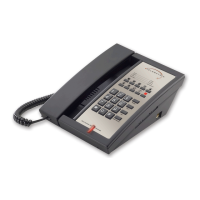
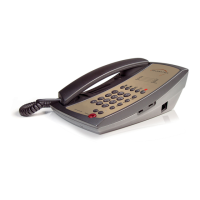
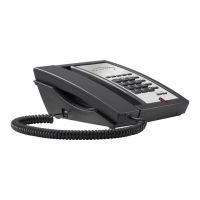
3300 & 3302 Trimline
Parts Check List
The following parts are packaged with your
TeleMatrix Trimline telephone:
• Line cord
• Handset coiled cord
• Base and handset
The following are optional items possibly included
(must be ordered separately):
• Wall mount adaptor bracket
• Short line cord for wall mounting
Features
• Single or Two-Line
• Convenient Data Port
• Message Waiting Lamp
• Handset Volume Control
• Flash Function (Switchable for 100 mS/300 mS
and 600 mS)
• Hold Key (Two-Line)
• Line Status Indicators (Two-Line)
• Last Number Redial
• HI/Low Ringer Volume Control
• Desk or Wall Mountable
• Hearing Aid Compatible
Installation
CAUTION
• Never install telephone wiring during a
lightning storm.
• Never install telephone jacks in wet location
unless the jack is specifically designed for wet
locations.
• Never touch none insulated telephone wires
or terminal unless the telephone line has been
disconnected at the network interface.
• Use caution when installing or modifying
telephone lines.
FLASH HOOK FUNCTIONFLASH
The FLASH function is used to access PBX features
or Telco line features such as call waiting. The
FLASH function is a 600 mS timed line break. If
the FLASH function will be used often, store the
feature into memory located for easy access as
follows:
1. Lift the handset, then press the STORE key.
2. Press the FLASH key.
3. Press the memory location wherein the
FLASH is to be stored.
4. Hang up the handset.
PROGRAMMING MESSAGE WAITING
ONETOUCH KEY INTO MEMORY
ONETOUCH
OneTouch is an innovation that integrates the
visual message waiting lamp and a speed dial
key onto one. It allows easy access for guests to
retrieve messages. When the message waiting
lamp lights notify the guest that a message is
waiting, a simple press of the red OneTouch button
connects the guest to the message center or front
desk.
OneTouch also adds an additional memory location
to this telephone.
1. Lift the handset.
2. Press the STORE key.
3. Enter the number to be stored using the
numeric dial pad.
4. Press the red OneTouch key to store.
5. Hang up the handset.
(Does not apply to 3300LBY or 3300MWB telephones.)


 To Next Page