3.4 Operational Checks
For a Telecell to be controlled and return meaningful data it must be set up correctly.
Ensure each Telecell is:
Connected
Assigned to an Asset
Has a Control Program with appropriate dimming levels set within the Power tab
Has the correct Lamp Type and Charge Code Assigned (make a note of the
Circuit Watts within the Charge Code)
3.5 Bring the Telecell into Service
3.5.1 Connection Status
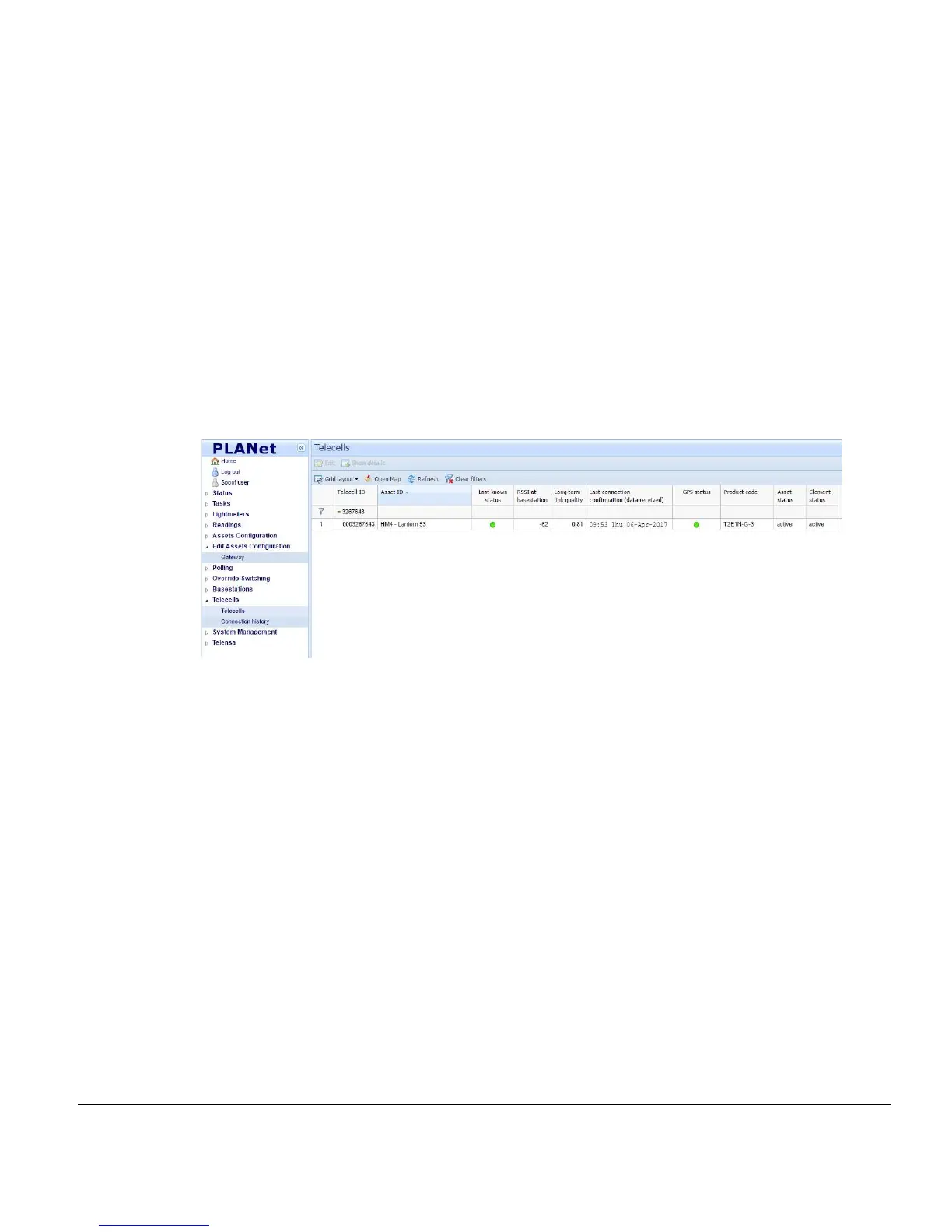
Once installed and powered, the Telecell should connect to the Central System within a
few hours. This can be confirmed by observing the Telecells Page within the User
Interface.
Filter the Telecell ID column for the OSID.
Note: When a Telecell connects, the Last Known Status column symbol turns green and data
becomes present in the Last Connection Confirmation [data received] column. If the
Telecell is not connected, the Test and Commissioning phase cannot be completed.
Note: The Last Known Status column is the result of either the success or failure of any last
communication with the Telecell.



 To Next Page