AT+CSQ to verify received signal strength
ATD<phone_number>; to initiate a voice call
ATH to hang up a voice call
For further information about AT commands and their usage, refer to [1].
8.4 Status of the modem (LEDs)
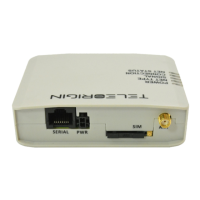
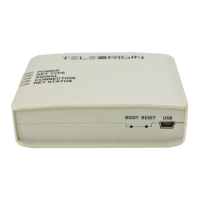
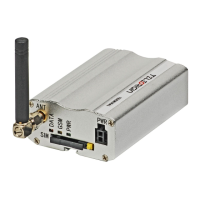
The operational status of the RB800 Terminal is signalized by external LEDs placed on
the front panel of the modem.
The table below shows what is the meaning of LEDs.
LED
name
LED colour Description
DATA blue Software controlled:
In GPRS modem variant: AT#GPIO=5,1,1 – diode ON, AT#GPIO=5,0,1 – diode OFF
In UMTS modem variant: AT#GPIO=5,0,1 – diode ON, AT#GPIO=5,1,1 – diode OFF
GSM orange Software controlled using AT#SLED (GPRS modem variant) or AT#GPIO=8 and
AT#SLED (UMTS modem variant):
Blinking every second – modem is not logged on to GSM network
Blinking every 3 seconds – modem is logged on to GSM network.
PWR green Lights when modem is power on
8.5 Disabling and enabling echo function
If echo is not displayed when entering AT command, that means:
The local echo function in software (such as Hyperterminal) is disabled
The echo function of the modem is disabled
To enable echo function of the modem enter ATE1 command.
In Machine to Machine communication it is recommended to disable echo function (type
ATE0) in order to avoid useless CPU processing.
For further information about AT commands and their usage, refer to [1].
19


 To Next Page