22
Status of the modem (LEDs)
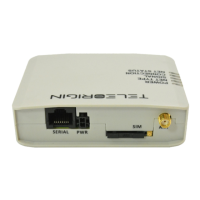
The operation of the modem is indicated by LED diodes on the top of the device
housing. The table below shows the description and signaling of the LEDs.
Lights when modem is power on
- on: LTE
- 750ms on, 250ms off: 3G
- 250ms on, 750ms off: 2G
- off: no network
- on: CSQ >= 25
- 750ms on, 250ms on: CSQ >= 16
- 250ms on, 750ms off: CSQ >= 6
- off: CSQ < 6 or device not registerd to the network
- on: tcp server on and client connected to the server
- 500ms on, 500ms off: tcp server on, no client connected
- off: tcp server off
- on: voice calling
- 125ms on, 125ms off: data transfer is ongoing
- 1800ms on, 200ms off: idle
- 200ms on, 1800ms off: network searching
- off: gsm off
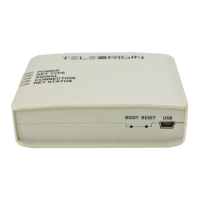
RESET and BOOT buttons
To reset the device, use the RESET button located to the right of the USB connector.
The BOOT button is used to program the device firmware in service mode.



 To Next Page