33
Firmware update
Use the Teleorigin Manager software to update the device firmware. Details of the
update procedure are described in the Teleorigin Manager User Manual.
NOTE: It is recommended not to disconnect the modem's power supply during the update
procedure.
Emergency update
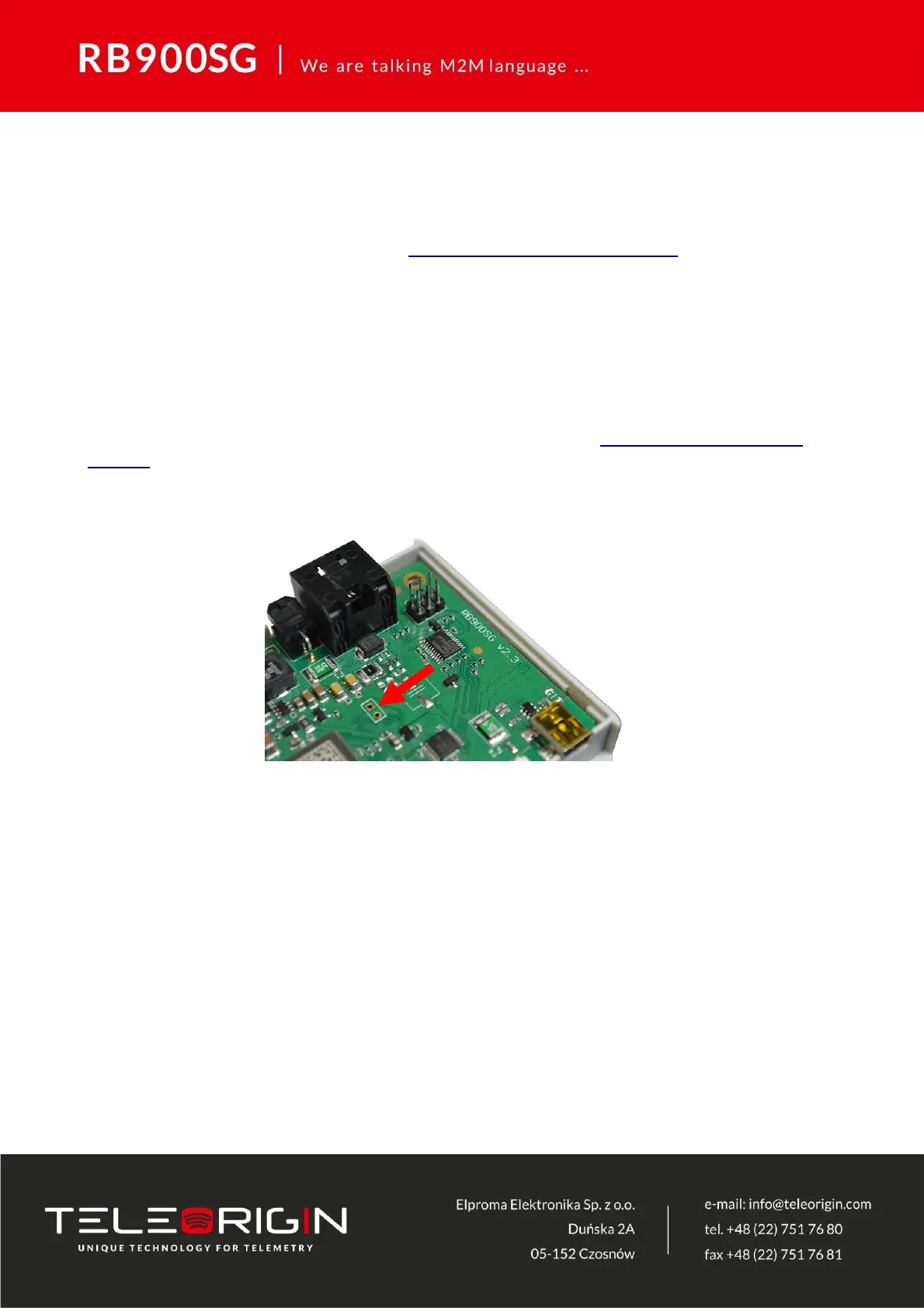
If the update was unsuccessful, open the device housing, short the two pins shown in
the picture below and then perform the update again. See the Teleorigin Manager User
Manual for details about the emergency update.



 To Next Page