ECLIPSE 8/16/32/99 Series – User Operation Manual
41
5.24 Scroll speed of messages in LCD keyboards
Attention: This address is available only in keyboards LCD32 and LCD32 Sensitive.
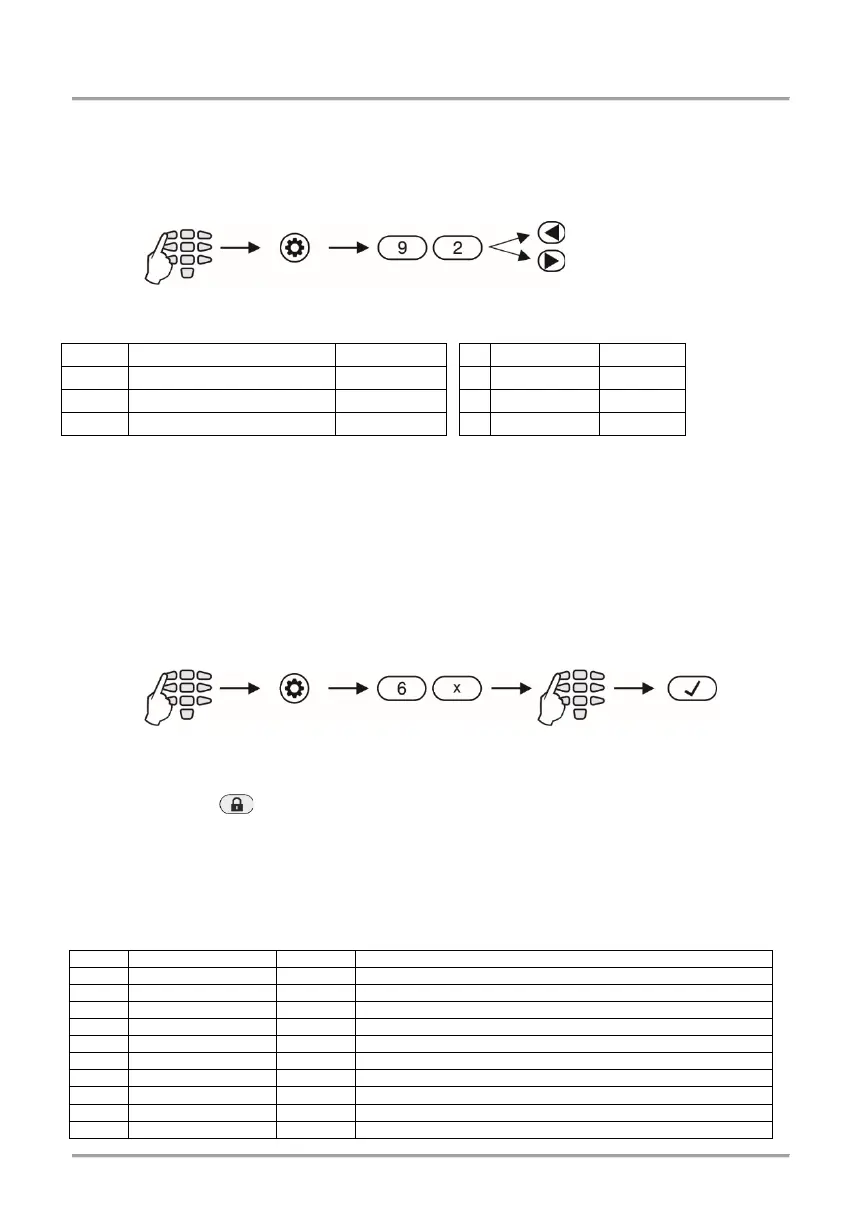
In menu “5. KBD SETTINGS – 3. SCROLL SPEED” or
Address 92, the scroll speed of
system messages on the keyboard display is set. The available levels are from 1 to 7. In
order to change the scroll speed, the Manager needs to enter his/her code first:
Scroll speed of messages is as follows:
5.25 Entering Phone Numbers for the Eclipse VD Voice Dialler
Eclipse VD voice dialler is a special module for remote management with voice guiding
and voice reporting of events to user. The Manager can enter 8 different telephone
numbers for reporting of events when the Eclipse VD is a part form the system
configuration. The mounting and optional setting for the voice dialler in the engineering
programming menus must be done from a technician maintaining the system.
To enter new or to edit present telephone numbers for the Eclipse VD voice dialler do in
sequence:
To delete completely a phone number, enter the respective menu or address and press in
sequence buttons and “5”, then confirm with ENTER Button.
APPENDIX A - Table for Memory LOG Events
For convenience the table includes a graphic representation of the LEDs as they light up for the
respective event. A black digit on a white background indicates an extinguished LED and a white digit
on a black background indicates a lit-up LED. Scroll from LED 1 to LED 8 to determine the
correspondence between the event displayed on the keypad and the text in the table.
Burglary Alarm event restore
Panic Alarm event restore
Tamper Alarm event restore
Medical Alarm event restore
5. KBD SETTINGS – 3. SCROLL SPEED
Address (x =1-8) /
6. VD Phones
final choice
with ENTER.
















 To Next Page