25
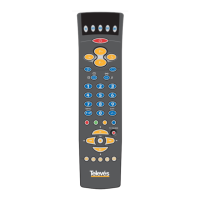
User´s Manual Universal Remote Control
ENGLISH
Congratulations! Your Universal Remote Control (URC) is a state-of the-art devi-
ce which integrates many different infrared remote controls to deliver instant A/V
action to your fingertips.
This URC is pre-set at the factory with a copying and storing ability. Simply enter
the correct device codes for your equipment and your URC is ready to use. A
DEVICE CODE LIST is included in this User Manual.
It replaces up to 8 separate remote controls to operate infrared controlled
televisions (TV), video cassette recorders (VCR), satellite receivers (SAT) & cable
boxes (CTV), lt can also copy and simulate infrared commands of almost any
infrared controlled A/V equipment to control compact disk players, laser disk
players, HiFi equipment, tape cassette recorders and many other electronic
home appliances.
For your convenience, your URC is value-packed with a special illuminated
keypad. This lights up as you touch it. This means that you can still enjoy using
your A/V equipment even in a dimmed environment.
It also features a non-volatile and permanent memory which retains all
programmed codes, as well as any commands that it has copied and stored
even if the batteries are removed.
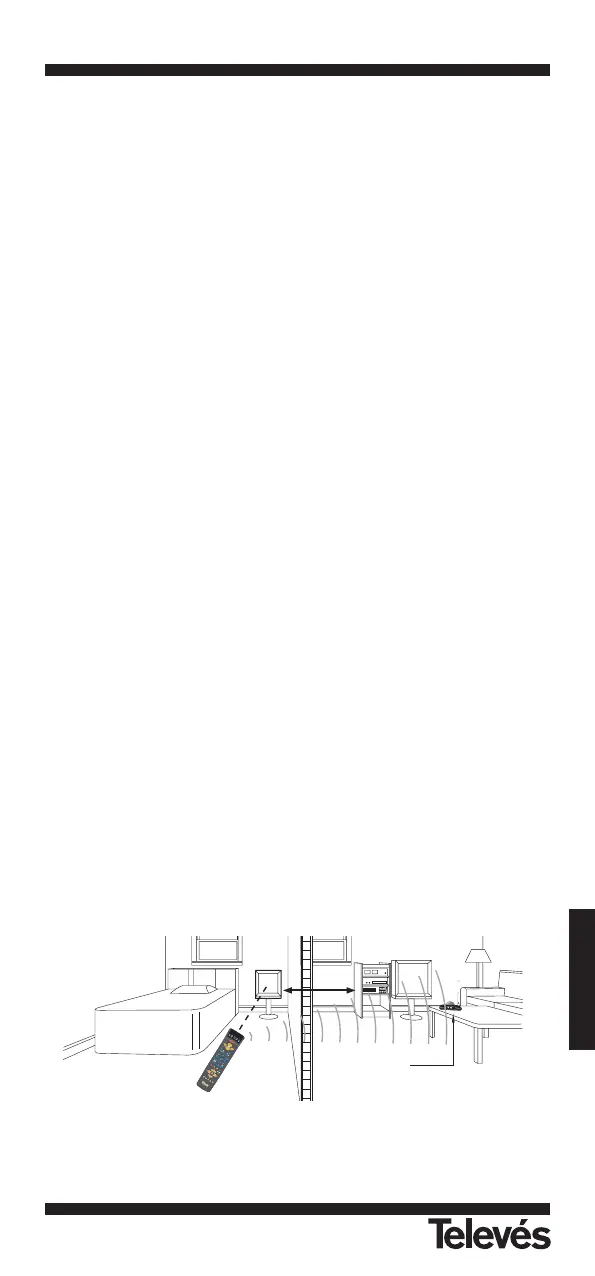
Please note that your Universal Remote Control itself, is an RF & Infrared
Transmission unit. Every time you press the function key, both RF & Infrared
signals will be sent out. In this way, you can control the equipment in another
room as long as you also have the "RF Receiver" (DIGIDOM IR).
You can also use the remote control as:
An IR transmitter (normal mode)
Where to use:
Directly with the A/V equipment that you want to control.
An RF transmitter ("RF Receiver" DIGIDOM IR is necessary)
The infrared commands are sent via the RF transmitter that is incorporated in
the remote control.
Where to use:
Wherever you want to receive the signals from the A/V equipment that you
want to control.
• RF Receiver (DIGIDOM IR)
Where to use:
Place the "RF Receiver" module (DIGIDOM IR) where the equipment that you
want to control is located. Direct it towards the equipment and connect it to
the mains. Now using the remote, you can control the equipment from a diffe-
rent room (within the structural limits of the home).


 To Next Page