27
User´s Manual Universal Remote Control
ENGLISH
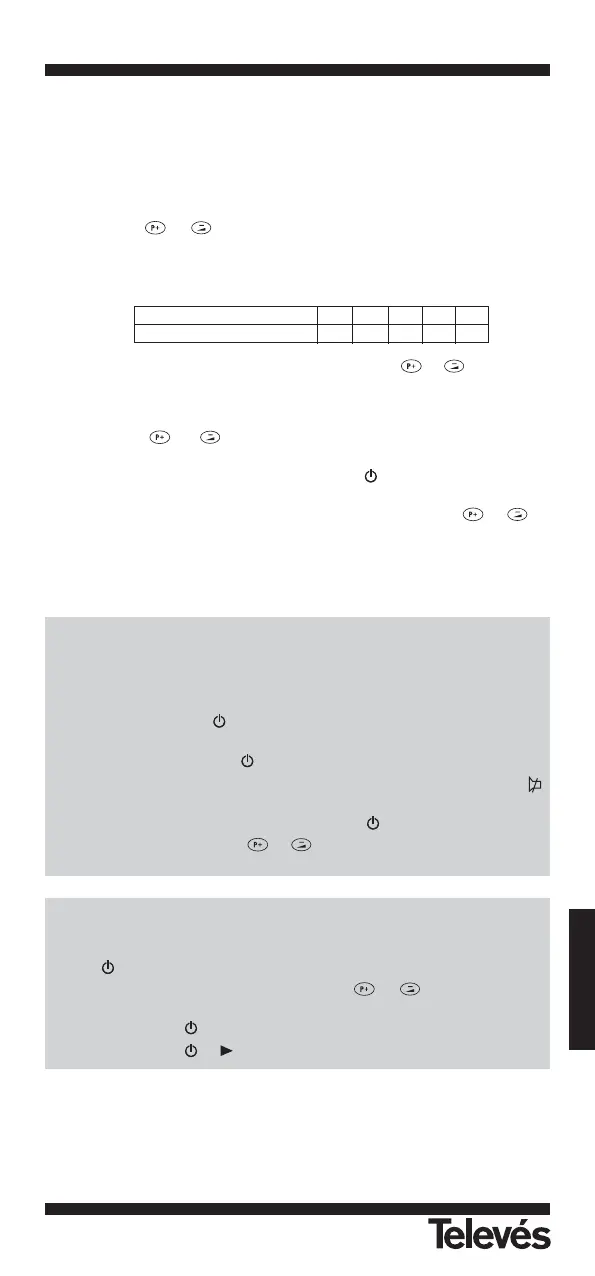
By searching THROUGH THE LIBRARY
lf you cannot identify a correct Device Code for your equipment from the Device
Code List, you may search the code through the library:
For example: Turn the device on (e.g. TV).
1.- Turn on your device manually (e.g. TV).
2.- Press a desired Device Mode Key (e.g. TV)
3.- Hold down & on the URC together simultaneously for 2 seconds
until the indicator flashes twice.
4.- Enter a corresponding Magic Search Code from following table. The indicator
should flash twice.
(e.g. press the “TV” device mode key, then press & , and enter
TV Magic Search Code 0001.)
5.- Press the same desired device mode key again as in step 2 above. (e.g. TV).
6.- Hold down & together simultaneously for 2 seconds until the
indicator flashes twice and your URC is ready to start searching.
7.- Aim the URC at your device (e.g.TV), press the key repeatedly, slowly and
patiently until the device has been turned off.
Once your device has been turned off, immediately press the & to
lock in Code and the indicator should flash twice.
Simply repeat the above procedures to search the Device Codes for your VCR,
SAT, DVD or CTV. (Remember to press a correct Device Mode Key and correct
Magic Search Code in step 2-5 above).
Note:
- DVD, CTV and other device codes can be searched and locked into any device
modes except "TV" & "VCR" modes. Just simply press the corresponding devi-
ce mode key in step 2 & 5 and enter the appropriate Magic Search Code for
your DVD, CTV and other devices.
- Each time you press the , the URC will skip to the next Code and send out a
POWER signal trying to turn the device off.
- lf you failed to stop pressing in time when your device has been turned off,
turn on your device again immediately. Before the indicator goes out, press
on the URC to skip backward. Repeat the step 7 above and lock in Code.
- lf the indicator flashes 6 times after you press the key, you are already at the
last Code of the library. Press & to resume the URC and repeat care-
fully the above procedures to search again.
IMPORTANT
- lf the power on/off function of your device is not infrared controlled - you need
to follow steps 2 to 6 above and start searching.
- Press and another important function key alternately until your device
responds to the expected function, press the & keys to lock in the
Code.
e.g. Press & “1” alternately, or;
Press & alternately.
Device type: TV VCR SAT CTV DVD
Magic Search Code: 0001 0002 0003 0004 0005


 To Next Page