I
The Attribute Menu
The
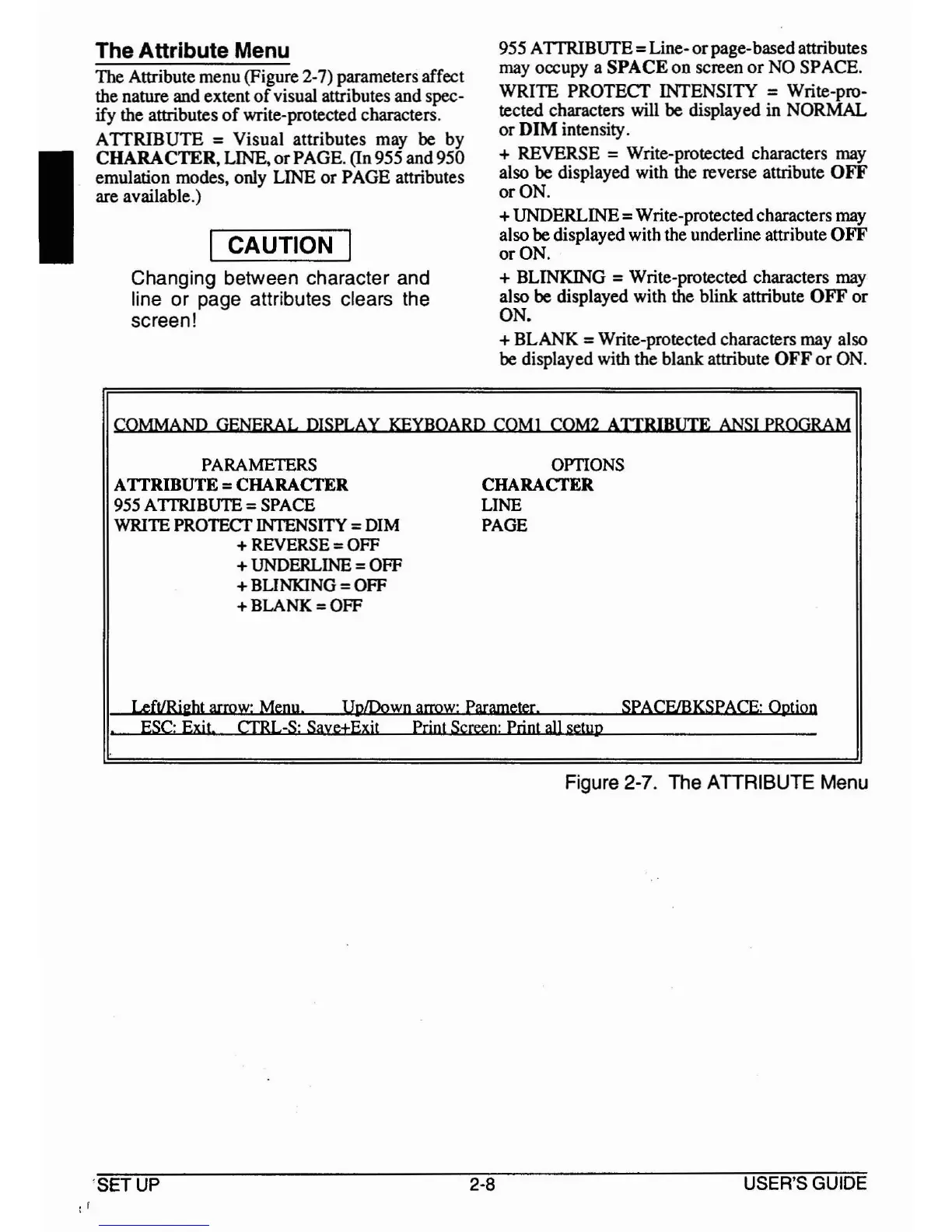
Attribute menu (Figure 2-7) parameters affect
the nature and extent
of
visual attributes and spec-
ify the attributes
of
write-protected characters.
ATTRIBUTE
=Visual attributes may
be
by
CHARACTER, LINE,
or
PAGE. (In 955 and950
emulation modes, only LINE
or
PAGE attributes
are available.)
I CAUTION I
Changing between character and
line or page attributes clears the
screen!
955 A
TTRlBUfE
=Line-
or
page-basedattributes
may occupy a
SPACE
on
screen
or
NO
SPACE.
WRITE PROTECT INTENSITY
=Write-pro-
tected characters will
be
displayed in NORMAL
Or
DIM
intensity.
t REVERSE
=Write-protected characters may
also
be
displayed with the reverse attribute OFF
or
ON.
t UNDERLINE
=Write-protectedcharacters may
also
be
displayed with the underline attribute OFF
or
ON.
t BLINKING
=Write-protected characters may
also
be
displayed with the blink attribute OFF
or
ON.
t BLANK
=Write-protected characters may also
be
displayed with the blank attribute
OFF
or
ON.
COMMAND GENERAL DISPLAY KEYBOARD COM! COM2
ATIRIBUTE
ANSI
PROGRAM
PARAMETERS OPTIONS
A
TIRIBUTE
= CHARACTER CHARACTER
955 AITRIBUTE =SPACE
LINE
WRITE PROTECf INTENSITY
=DIM
PAGE
t REVERSE = OFF
t UNDERLINE = OFF
t BLINKING = OFF
tBLANK=OFF
LeftlRi~bt
arrow: Menu.
UpLDown
arrow:
Parameter. SPACF/BKSPACE: Option
.
ESC:
Exit CfRL-S: Saye±Exit Print Screen: Print
all
setup
Figure 2-7. The ATTRIBUTE Menu
: I
'SET
UP
2-8
USER'S
GUIDE



 To Next Page