I
The Answerback Submenu
The terminal sends an answerback message
to
the
host in response to a received command. The
default answerback message is blank.
You can load
an
answerback message
of
up to
31
characters
in
this submenu. You can then elect to
display
or
conceal the message.
The steps below tell how
to load an answerback
message.
1. Enterthe Programmenu anduse the spacebar
to
select the
ANSWERBACK
option.
2. Use the
Ai
keys to select the ANSWER-
BACK
=field.
3.
To
start reprogramming the key, press
I
Enter
I
4. Enter up
to
31
bytes (characters)
as
the new'
message.
S.
Use the arrow keys to movethe cursorwithin
the message; use the
Insert
and Delete keys
to edit the message.
6.
To
end the entry, press
I
Enter
I
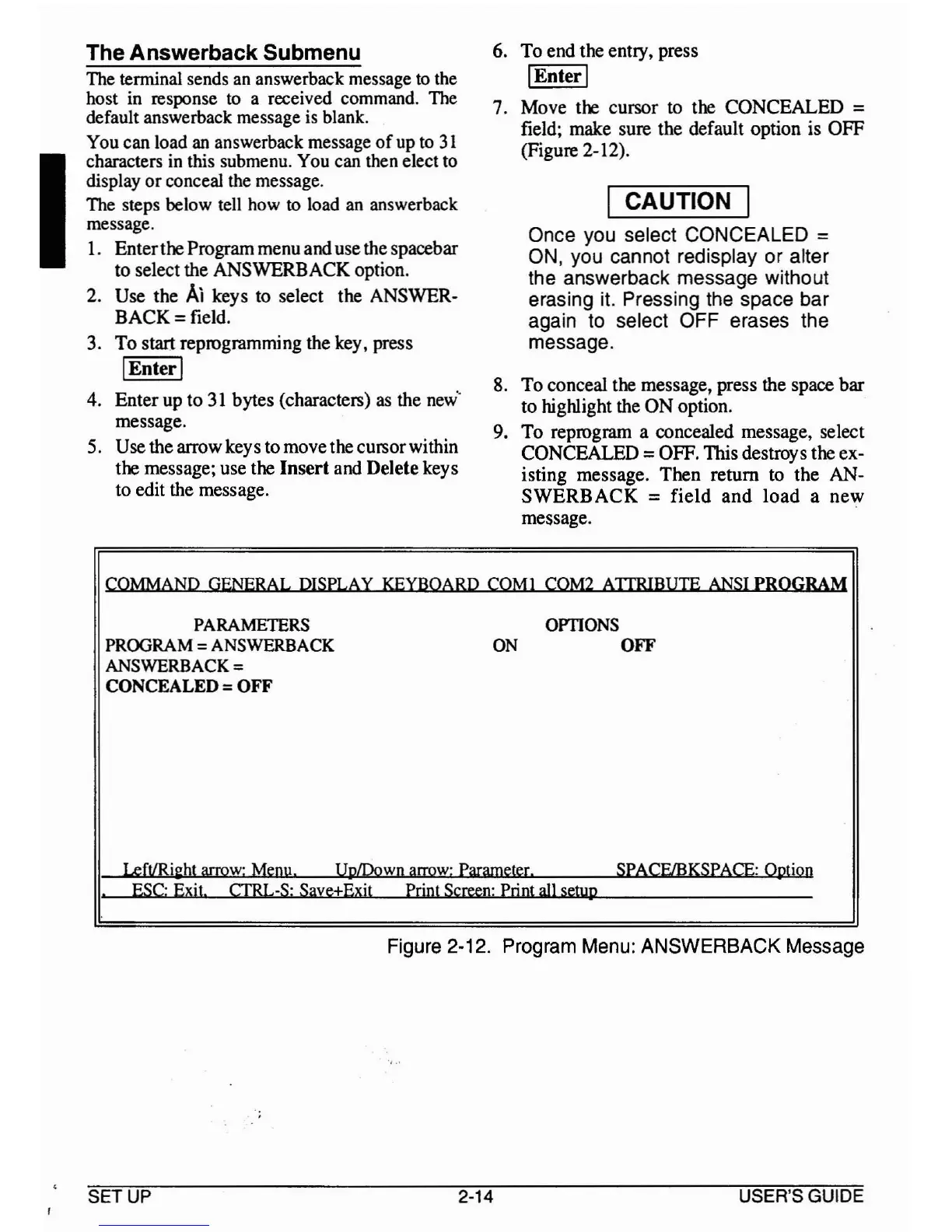
7.
Move the cursor to the
CONCEALED
=
field; make sure the default option is
OFF
(Figure 2-12).
I CAUTION I
Once you select CONCEALED =
ON,
you cannot redisplay or alter
the answerback message without
erasing it. Pressing the space bar
again to select OFF erases the
message.
8.
To
conceal the message, press the space
bar
to
highlight the
ON
option.
9.
To
reprogram a concealed message, select
CONCEALED
=OFF. This destroys the ex-
isting message.
Then
return to
the
AN-
SWERBACK
=
field
and
load
a
new
message.
COMMAND GENERAL DISPLAY KEYBOARD COM!
COM2 AJTRIBUTE ANSI
PROGRAM
PARAMETERS
OPTIONS
PROORAM
=ANSWERBACK ON OFF
ANSWERBACK =
CONCEALED =OFF
LefVRi2ht arrow: Menu. UplDown arrow: Parameter. SPACElBKSPACE: Option
ESC: Exit.
CfRL-S: Save+Exit
Print Screen: Print all
setup.
Figure 2-12. Program Menu: ANSWERBACK Message
SETUP
2-14 USER'S GUIDE



 To Next Page