The Delimiter Submenu
The terminal automatically inserts field, line, and
message delimiters when it transmits text
to the
host. You can reprogram content
of
the control
characters used as delimiters in this submenu.
1be
following steps tell how
to
reprogram the
delimiters.
1.
Enterthe
PrograI11
menuand use the spacebar
to select the DELIMITER option.
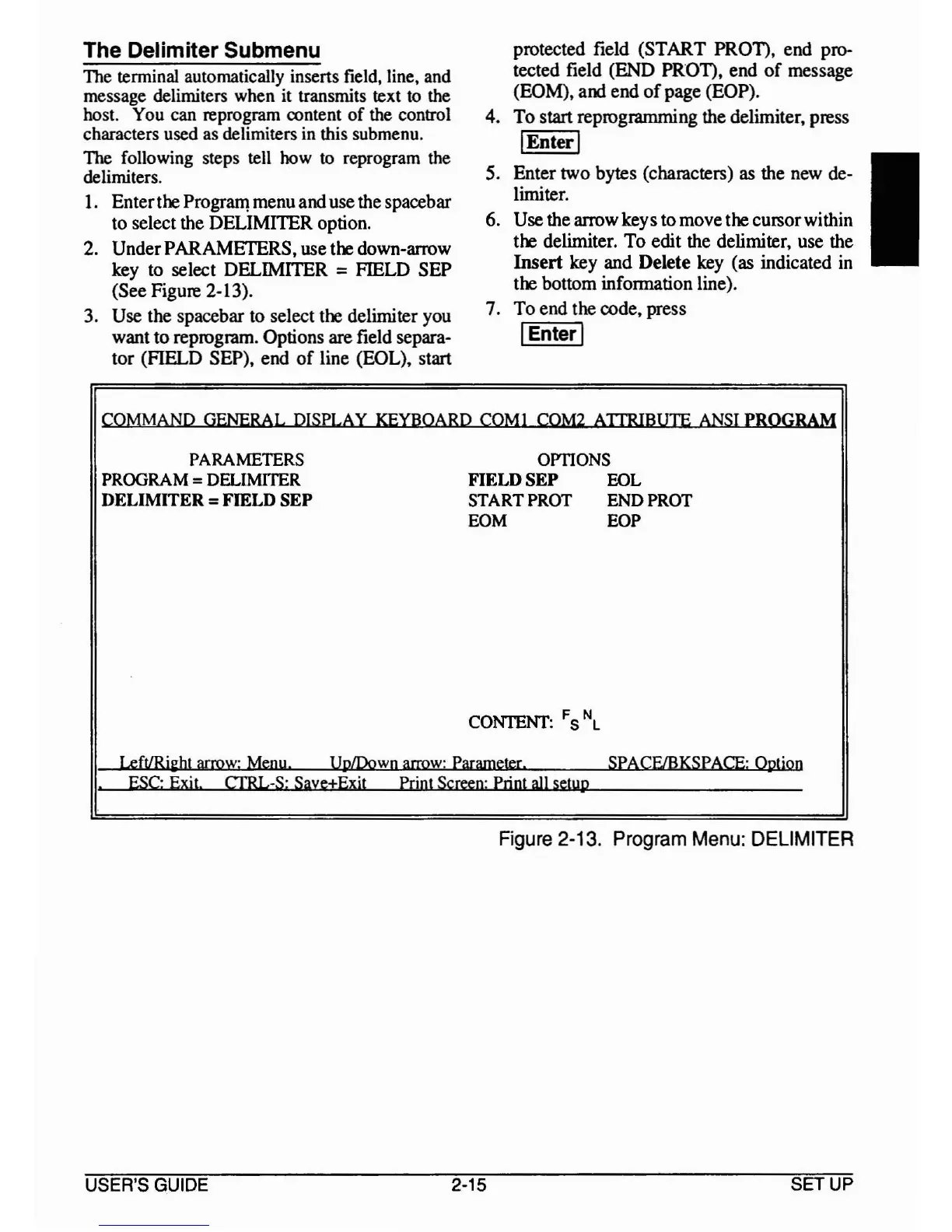
2. UnderPARAMETERS, use the down-arrow
key to select DELIMITER
=FIELD SEP
(See Figure
2·13).
3. Use the spacebar to select the delimiter you
want
to
reprogram. Options are field separa-
tor (FIELD SEP), end
of
line (EOL), start
protected field (START PROT), end pro-
tected field (END PROT), end
of
message
(EOM), and end
of
page (EOP).
4.
To
start reprogramming the delimiter, press
I
Enter
I
5. Enter two bytes (characters) as the new de-
limiter.
6. Use the arrow keys to move the cursorwithin
the delimiter.
To
edit the delimiter, use the
Insert
key and Delete key (as indicated in
the bottom information line).
7.
To
end the code, press
I
Enter
I
I
COMMAND
GENERAL
DISPLAY
KEYBOARD
COM}
COM2
ATIRlBUTE
ANSI
PROGRAM
PARAMETERS
OmONS
PROGRAM = DELIMITER
FIELDSEP
EOL
DELIMITER =FIELD SEP
START
PROT
END
PROT
EOM
EOP
CONTENT:
FSN
L
LeftlRi~ht
arroW:
Menu
UpIDown
arrow'
Parameter. SPACF/BKSPACE:
Option
.
ESC;
Exit.
CfRL-S: Save+Exjt Print
Screen:
Print
all
setyp
Figure
2-13.
Program
Menu:
DELIMITER
USER'S GUIDE 2·15
SETUP



 To Next Page