Numeric
Pad
Submenu
The numeric pad submenu
is
very similar to the
editing key submenu.
It
lets you change the char-
acters sent
by
the keys in the numeric keypad. You
can reprogram all the unshifted keys.
(On the
ASCII keyboard numeric pad, you can also repro-
gram the shifted
Tab,
CE, and
Enter
keys.) The
DIRECTION field lets you specify the destination
of
the shifted keys. Your application program can
also do this reprogramming, but cannot specify
destination
of
the key codes.
The following steps tell how
to reprogram the
numeric keypad keys. Procedures similar
to
repro-
grammingthe function keys are notrepeated in full
here; refer
to
the instructions for reprogramming
function keys for a complete explanation.
I.
Enterthe Programmenu and use the spacebar
to
select the KEYPAD option.
2.
Move
the cursor down to the KEY =field.
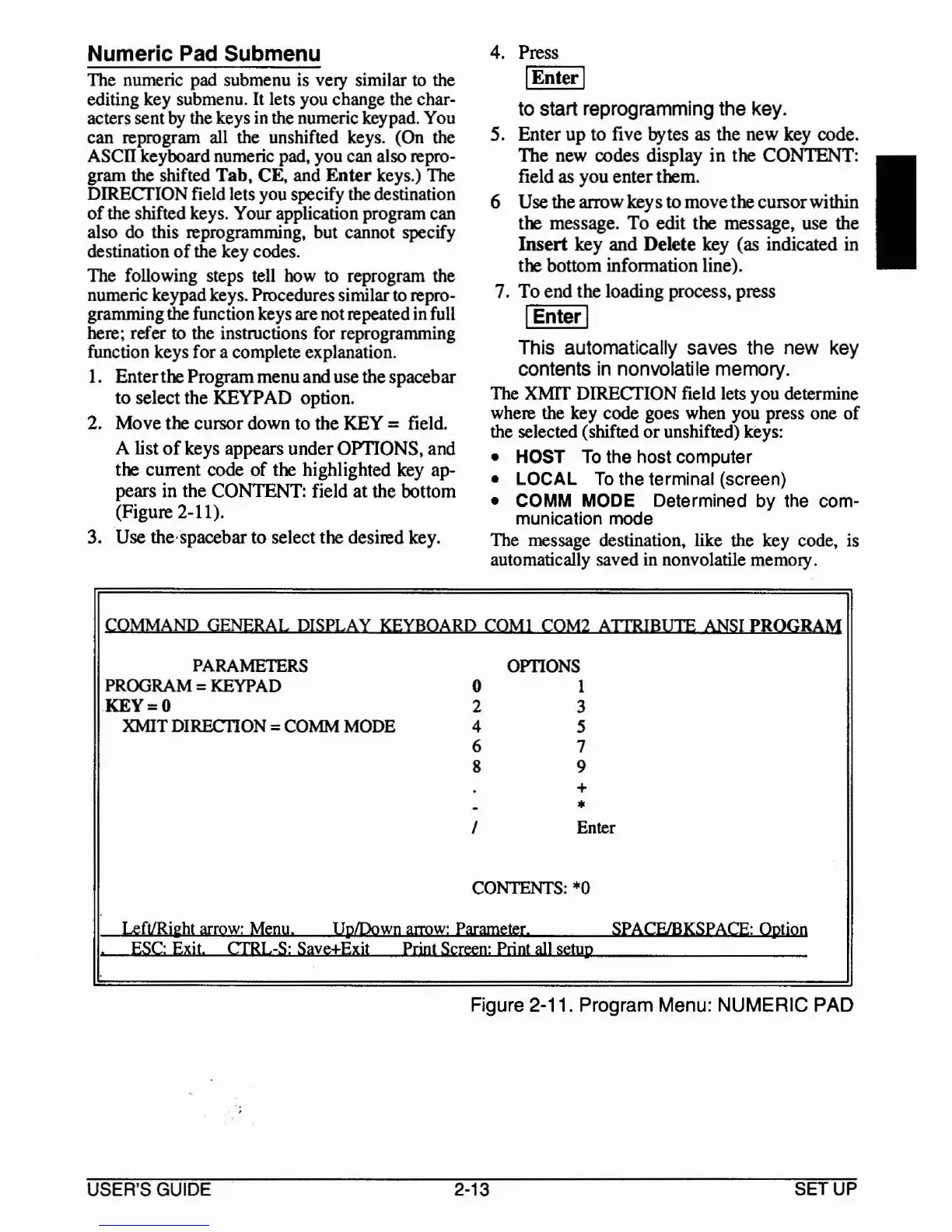
A list
of
keys appears underOPTIONS, and
the current code
of
the highlighted key ap-
pears in the CONTENT: field
at
the bottom
(Figure 2-11).
3. Use the-spacebar to select the desired key.
4. Press
I
Enter
I
to start reprogramming the key.
5. Enter up to five bytes as the new key code.
The new codes display
in
the CONTENT:
field as you enterthem.
6 Use the arrow keys
to
movethe cursorwithin
the message.
To
edit the message, use the
Insert
key and Delete key (as indicated in
the bottom information line).
7.
To
end the loading process, press
IEnterI
This automatically saves the new key
contents
in
nonvolatile memory.
The
XMIT DIRECTION field lets you determine
where the key code goes when you press one
of
the selected (shifted
or
unshifted) keys:
• HOST
To
the host computer
• LOCAL
To
the terminal (screen)
•
COMM
MODE
Determined by
the
com-
munication
mode
The message destination, like the key code, is
automatically saved in nonvolatile memory.
I
COMMAND GENERAL
DISPLAY
KEYBOARD
COM}
COM2
ATIRIBUTE
ANSI
PROGRAM
PARAMETERS
OPTIONS
PROGRAM
=
KEYPAD
0
}
KEY=O 2
3
XMIT DIRECI10N =
COMM
MODE
4
5
6
7
8 9
+
- •
I Enter
CONTENTS:
·0
LeftlRi2ht
arrow:
Menu.
UplDown
arrow:
Parameter.
SPACF/BKSPACE: Option
.
ESC:
Exit.
CTRL-S:
Save±Exit
PrintSc«&n:Printwlsctyp
Figure 2-11. Program Menu: NUMERIC PAD
USER'S GUIDE 2-13
SETUP



 To Next Page