Page 3
Headset Operation
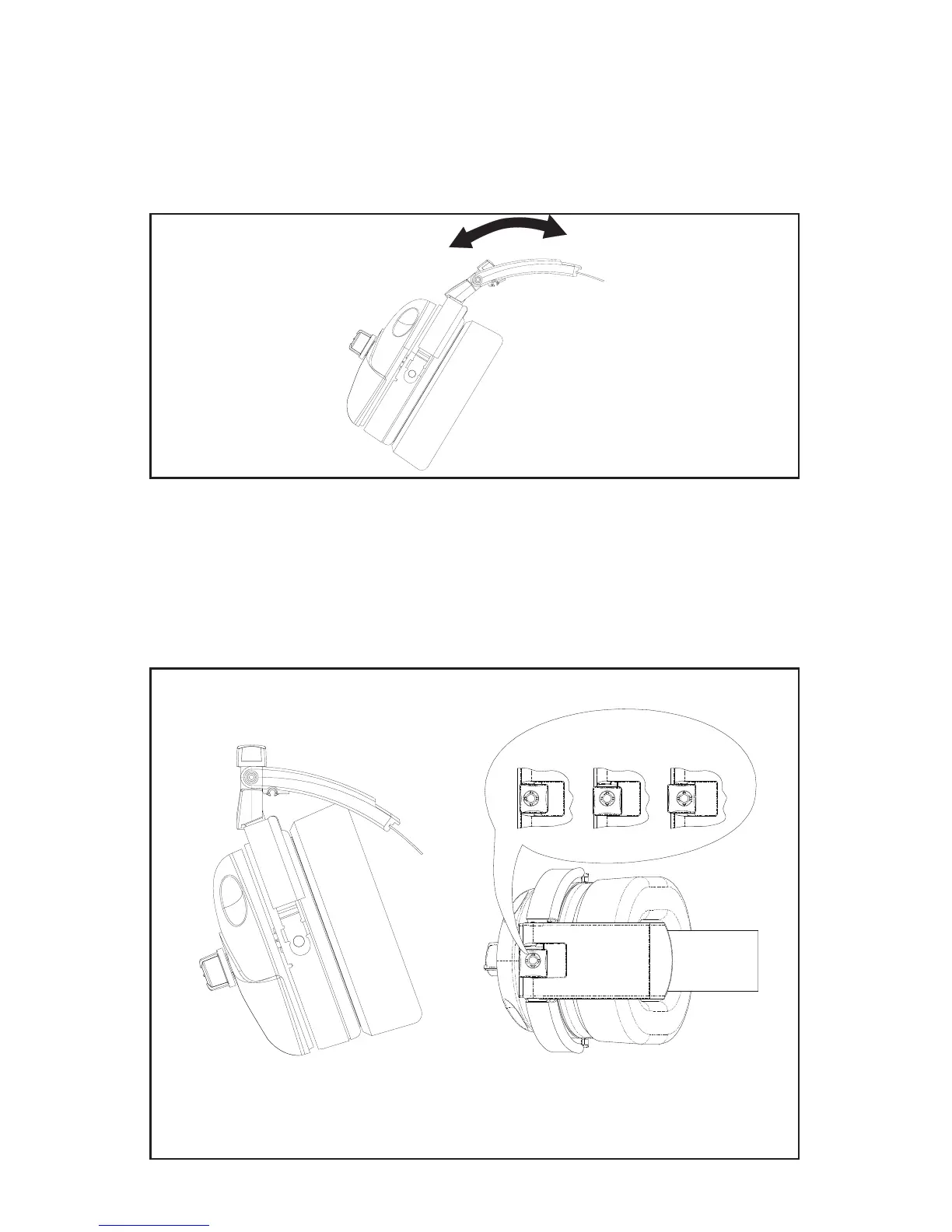
Headband Size Adjustment
With the headband resting securely on the top of the head, check that the ear
cups are centered over the ears. Reposition them if necessary by moving the
headband sliders up or down.
Figure 2
Headband Size
Adjustment
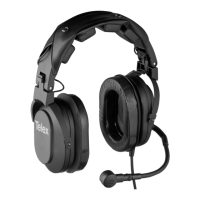
Headband Pressure Adjustment
There are three pressure settings. Increasing the pressure will improve the
seal between the ear cup and the head for greater noise reduction. To change
the pressure setting, remove the headset and fold the ear cup inward, then
rotate the Comfort Cam
tm
to the desired setting. Repeat for both ear cups.
Both sides of the headband should be set to the same pressure setting to
keep the headband properly centered on the head.
Figure 3
Headband Pressure Adjustment
HIGH MEDIUM LOW
KNOB ADJUSTMENT SETTINGS
Top View
Comfort Cam
tm
Adjustment Settings
Side View


 To Next Page