ACCESS
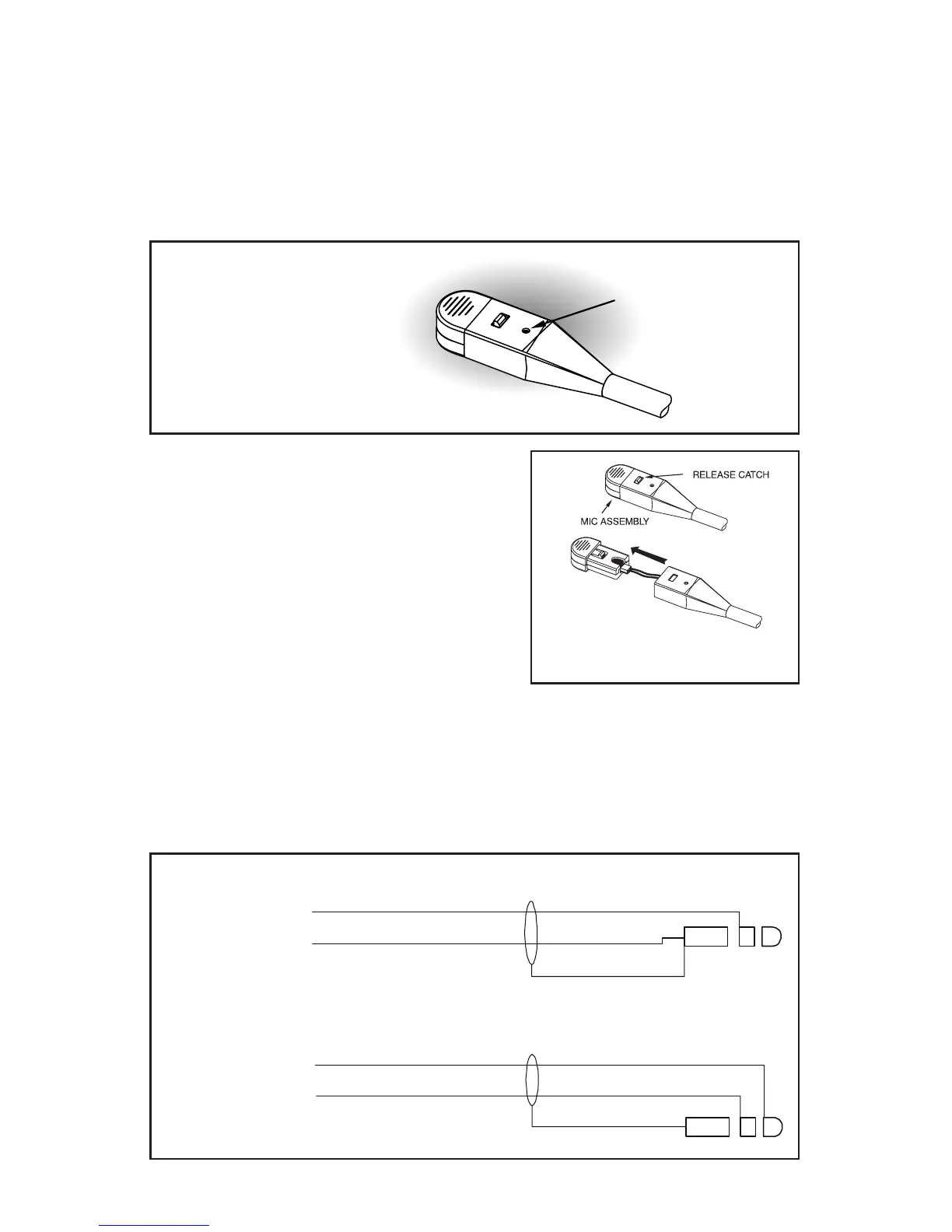
Figure 9
Microphone Gain Adjustment
Page 7
Microphone Gain Adjustment
The microphone gain has been factory-adjusted to the nominal level required
for aviation use, and it should normally not require readjustment. Any changes
to the microphone gain should be done by a qualified avionics technician. To
access the gain trimmer, insert a small flat-blade screwdriver through the
access hole in the microphone assembly. Clockwise rotation of the trimmer
increases gain.
Ear Cushion Replacement
To remove an old ear cushion, simply grasp it and pull it off the ear cup. To
install a new ear cushion, start at the top of the ear cup. Place the flap on the
back of the ear cushion over the lip along the top of the ear cup. Then, pull the
bottom of the ear cushion down over the lip at the bottom of the ear cup.
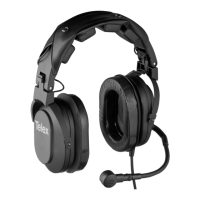
Microphone Replacement
Press the release catch and carefully pull
out the microphone element. Avoid pulling
the connecting wires.
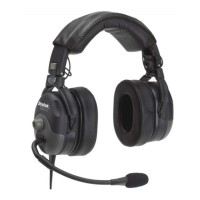
Wiring Diagram
Figure 11
Wiring Diagram
RED
BLK
SHLD
.206 DIA. MICROPHONE PLUG
RED
BLK
SHLD
.250 DIA. SPEAKER PLUG
SPKR - L
SPKR - R
SPKR - GND
MIC +
MIC -
BLUE
WHITE
Figure 10
Mic Element Removal


 To Next Page