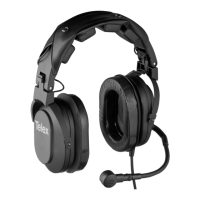
Need help?
Do you have a question about the Telex Stratus 30XT and is the answer not in the manual?
Details passive and active noise reduction capabilities for Stratus 30XT and 30 models.
Describes headband adjustment, earcup pivoting, and ear cushion properties for optimal fit and comfort.
Explains the amplified, noise-canceling microphone and its rotation feature.
Covers cable shielding, strain relief, bend relief, and connector types for various devices.
Explains automatic headset shutdown in low-noise environments after 15 minutes.
Details controls, jacks, and LED indicators for headset operation and battery management.
Specifies microphone bias voltage and headset power sources.
Instructions on adjusting headband sliders for proper ear cup centering and fit.
How to adjust earcup pressure using the Comfort Cam for better noise reduction.
Guides on rotating the microphone boom for left or right side placement.
Best practices for positioning the microphone close to the lips for optimal performance.
Instructions for configuring headphone switches for mono or stereo sound systems.
Steps for inserting rechargeable NiMH batteries before first use.
Information on connecting cellular phones and audio devices to the headset.
How to adjust volume based on microphone side and control operation.
Procedure for turning the headset on and off using the ON/OFF button.
How to enable or mute accessories using the mute button and LED indication.
How to charge batteries using AC adapter or cigarette lighter adapter with LED indication.
Instructions to disable or re-enable the auto shut-off feature via DIP switch.
Explains the meaning of different LED states for power, battery status, and accessory muting.
Guidance on adjusting microphone gain, recommended for avionics technicians.
Steps for safely removing and replacing the microphone element.
Procedure for removing and installing new ear cushions.
Visual representation of the headset's internal wiring for microphone and speaker connections.

 To Next Page

 General