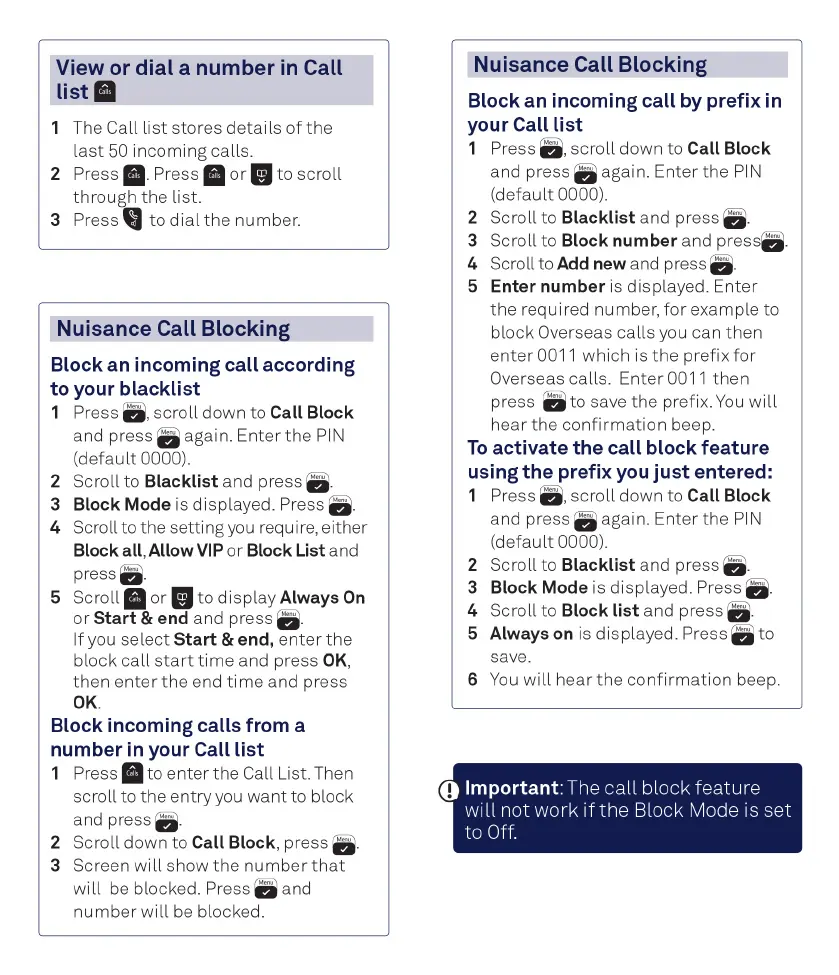
View or dial a number
in
Call
list
11
1 The Call
list
stores
details
of
the
last
50
incoming
calls.
2 Press
11-
Press
II
or
II
to
scroll
through
the
list.
3
Press to dial the number.
Nuisance Call Blocking
Block an incoming call according
to your blacklist
1 Press a,
scroll
down to Call Block
and press a again. Enter
the
PIN
(default
0000).
2 Scroll to Blacklist and press
a-
3 Block
Mode
is displayed. Press
a.
4 Scroll to the setting
you
require, either
Blockall,AllowVIP
or
Block List and
press
a.
5 Scroll
II
or
II
to
display
Always
On
or
Start
& end and press
a-
If you
select
Start
& end,
enter
the
block
call
start
ti me and press
OK
,
then
enter
the
end
time
and press
OK.
Block incoming calls from a
number
in
your Call list
1 Press
11
to
enter
the
Call List. Then
scroll to
the
entry
you
want
to block
and press
a.
2 Scroll down to Call Block, press
a-
3
Screenwillshowthenumberthat
will
be
blocked. Press a and
number
will
be
blocked.
Nuisance Call Blocking
Block an incoming call by prefix
in
your Call list
1 Press
a,
scroll
down to Call Block
and press a again. Enter
the
PIN
(default
0000).
2 Scroll to Blacklist and press
a-
3 Scroll to Block number and
press
4 Scroll to Add new and press
a.
5 Enter number
is
displayed. Enter
the
required number,
for
example to
block Overseas calls you can
then
enter
0011 which is
the
prefix
for
Overseas calls. Enter 0011
then
press a to save
the
prefix.
You
will
hear
the
confirmation
beep.
To
activate the call block feature
using
the
prefix you
just
entered:
1 Press a,
scroll
down to Call Block
and press a again. Enter
the
PIN
(default
0000).
2 Scroll to Blacklist and press
a-
3 Block
Mode
is displayed. Press
a-
4 Scroll to Block
list
and press
a-
5 Always on
is
displayed. Press a
to
save.
6
You
will
hear
the
confirmation
beep.
D Important: The
call
block feature
will
not work 1fthe Block Mode
1s
set
to
Off.



 To Next Page