Telstra MF65 User Manual v1.0 Page 11 of 30
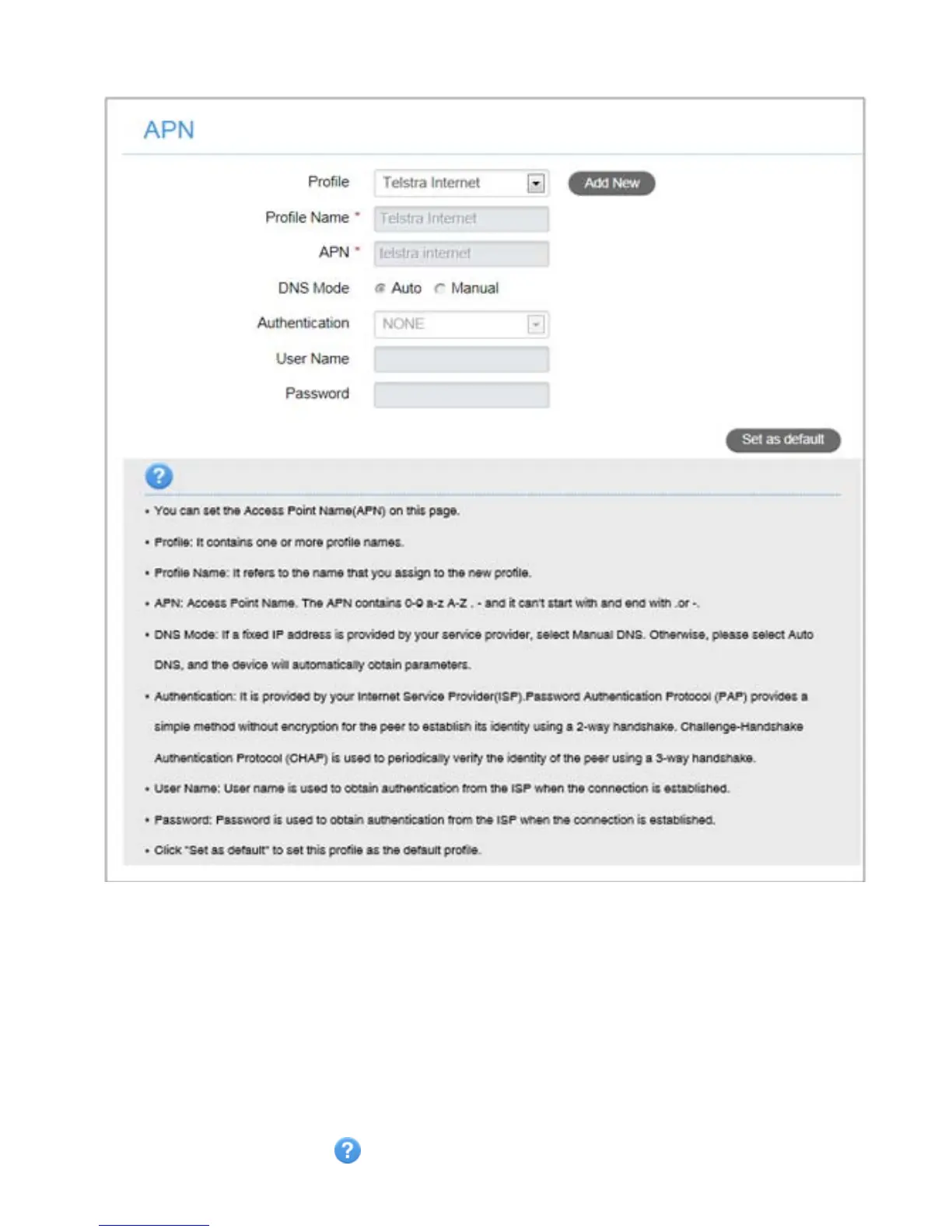
SETTINGS > APN:
• Press the Disconnect button on the device home page to change this
setting if required.
• Press Add New to create a new APN
• Add the Profile Name, eg Telstra WAP
• Enter the correct APN details eg telstra.wap
• Press Save to save your new APN
• Press the Profile drop down box
• Select the new APN profile
• Click on ‘Set as default’ to set the new APN as your preferred setting
• Press the Help icon to get in context tips.



 To Next Page