Telstra MF65 User Manual v1.0 Page 13 of 30
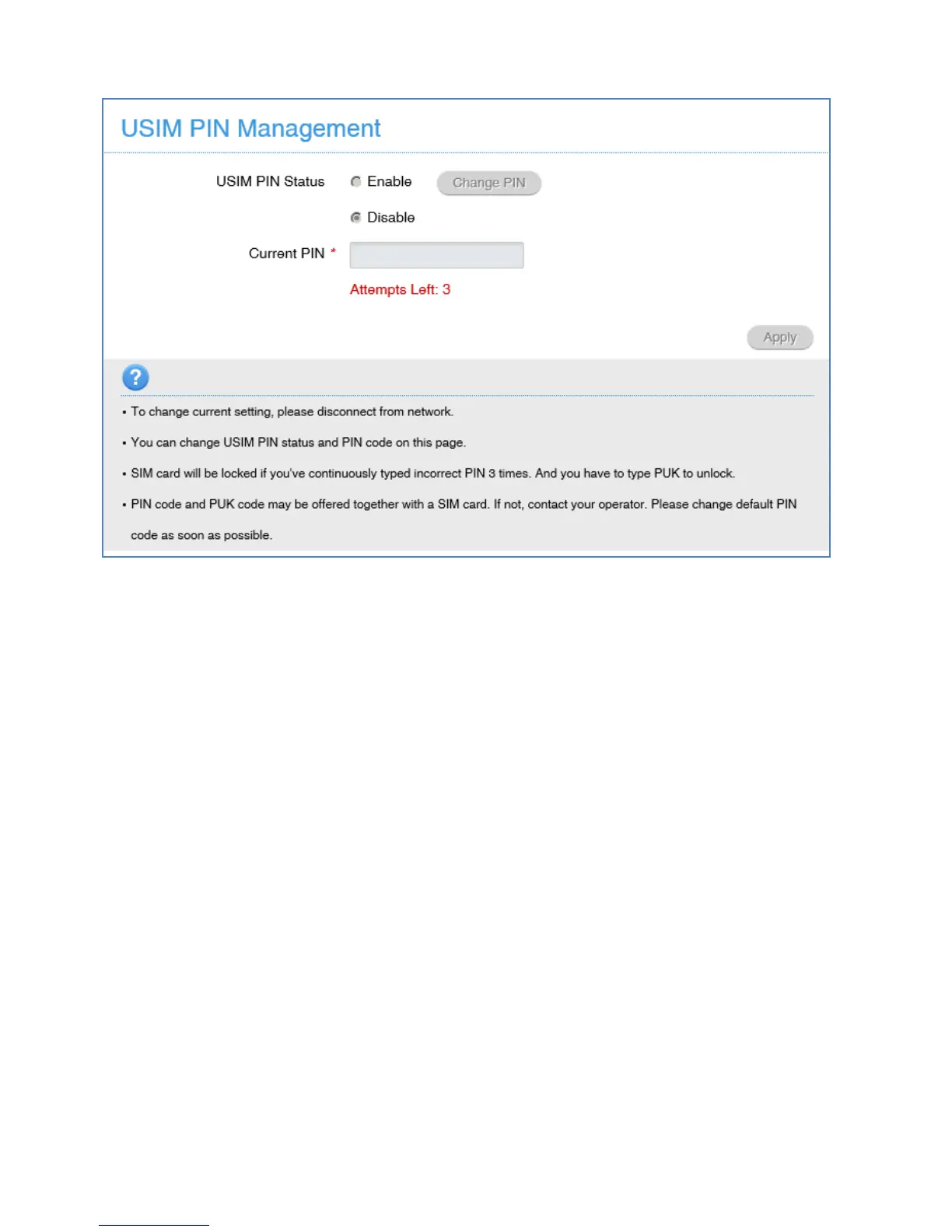
SETTINGS > DEVICE SETTINGS > USIM PIN MANAGEMENT:
• Press the Disconnect button on the device home page to change the PIN
settings if required.
• Enter your current PIN code to change or disable the PIN
• If you make any changes, press Apply to save the change
• If you enter the incorrect PIN code three times in succession you will
lock your USIM card.
• Contact your service provider to obtain your PUK code
SETTINGS > DEVICE SETTINGS > RESET
Press Reset to restore your original factory settings.
SETTINGS > DEVICE SETTINGS > RESTART
Press Restart to power cycle your device.



 To Next Page