Need help?
Do you have a question about the Teltonika RUT850 and is the answer not in the manual?
Details of Wi-Fi standards, MIMO, and security methods.
Lists hardware components like CPU, memory, and connectors.
Specifies dimensions, voltage, power, temperature, and humidity.
Covers physical installation steps for the router.
How to access the router's web interface.
Provides a summary of the router's current status.
Displays detailed information about the router's operating system.
Shows details about mobile, WAN, and wireless connections.
Lists and describes available router services.
Displays ARP table and active IP routes of the device.
Displays mobile signal strength variation in time.
Illustrates average CPU load values in real time.
Shows average inbound and outbound traffic over time.
Displays mobile connection data sent and received.
Measures internet connection upload and download speeds.
Displays all router events by type and time.
Logs system events like authentication and configuration changes.
Displays recent network events like connection status changes.
Configuration settings for connecting to 3G/LTE networks.
Determines how the router connects to the internet.
Configures the local area network for connected devices.
Configures advanced wireless device parameters.
Manages wireless encryption and authentication methods.
Configures the router's firewall rules for traffic control.
Exposes a specific host to the WAN network for services.
Defines rules to forward incoming traffic to specific internal hosts.
Allows blocking or opening ports and altering traffic forwarding.
Allows defining custom iptables rules for advanced firewall control.
Protects against Denial-of-Service attacks like SYN floods.
Prevents unauthorized port scanning attempts.
Manages network traffic routing.
Specifies interface and gateway for reaching hosts or networks.
Filters web access by blocking specific hostnames or URLs.
Configures time synchronization with NTP servers.
Links dynamic IP addresses to static hostnames.
Lists available SMS commands for router control.
Allows performing actions via phone calls to the router.
Groups phone numbers for SMS management purposes.
Manages received and sent SMS messages.
Reviews SMS sent and received counts.
Allows SMS management via HTTP POST/GET or Email.
Configures forwarding of received emails to SMS.
Schedules periodic sending of mobile messages.
Configures automatic replies to received SMS messages.
Forwards mobile messages to HTTP, SMS, or Email.
Configures general settings for the wireless hotspot.
Configures client session settings for the hotspot.
Disables internet access on specified days and hours.
Enables and configures wireless traffic logging.
Customizes the Hotspot landing page appearance.
Allows modification of the landing page HTML template.
Configures RADIUS server for authentication and accounting.
Reviews statistical information about hotspot instances.
Reboots the router if no ping echo is received.
Schedules automatic router reboots at defined times/days.
Guides through initial device configuration steps.
Manages router settings like name, language, and sleep mode.
Tools and settings for diagnosing and resolving device issues.
Backs up and restores router configuration settings.
Controls HTTP and remote HTTP/HTTPS access to the router.
Network utilities for testing connectivity and diagnosing issues.
Configures which information is displayed on the Overview page.
Connects the router to a Remote Monitoring System.
Allows insertion of custom commands executed at boot.
Manages firmware upgrades and Over-The-Air (FOTA) updates.
GNU General Public License notice for included software.
Instructions for rebooting the router via a button.
 General
| DHCP server | Yes |
|---|---|
| Security algorithms | 64-bit WEP, 128-bit WEP, SSID, WPA, WPA2 |
| USB port | No |
| Ethernet LAN (RJ-45) ports | 0 |
| 4G standard | LTE |
| 2G standards | EDGE, GPRS, GSM |
| 3G standards | UMTS |
| 4G bands supported | 800, 900, 1800, 2100, 2600 MHz |
| GSM bands supported | 850, 900, 1800, 1900 MHz |
| UMTS bands supported | 900, 2100 MHz |
| Storage temperature (T-T) | -45 - 80 °C |
| Operating temperature (T-T) | -40 - 75 °C |
| Storage relative humidity (H-H) | 5 - 95 % |
| Operating relative humidity (H-H) | 10 - 90 % |
| Output voltage | 9 - 30 V |
| Power source type | DC |
| Power consumption (typical) | 5 W |
| Networking standards | IEEE 802.11b, IEEE 802.11g, IEEE 802.11n |
| Ethernet LAN interface type | Not available |
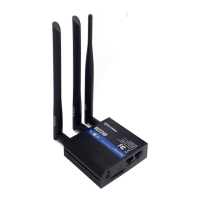
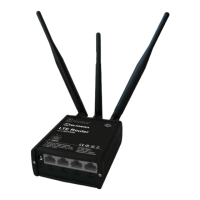
| Antennas quantity | 3 |
| Antenna connector type | Fakra |
| Antenna gain level (max) | 20 dBi |
| Wi-Fi band | Single-band (2.4 GHz) |
| Wi-Fi standards | 802.11b, 802.11g, Wi-Fi 4 (802.11n) |
| Top Wi-Fi standard | Wi-Fi 4 (802.11n) |
| WLAN data transfer rate (max) | 150 Mbit/s |
| Product type | Tabletop router |
| Product color | Black |
| LED indicators | Activity, Power, WLAN |
 Weight and Dimensions
| Depth | 17 mm |
|---|---|
| Width | 79 mm |
| Height | 131 mm |
| Weight | 106 g |

 To Next Page