3
PWR
BTRY
FAIL
DATA1
DATA 2
DATA 3
DATA 4
NTWK
MGMT
POTS
POTS 1 POTS 2 DATA 1 DATA 2 DATA 3 DATA 4
POTS 1 POTS 2 LAN 1 LAN 2 LAN 3 LAN 4
POWER
WAN
ALARM
LAN 1
LAN 2
LAN 3
LAN 4
VOICE
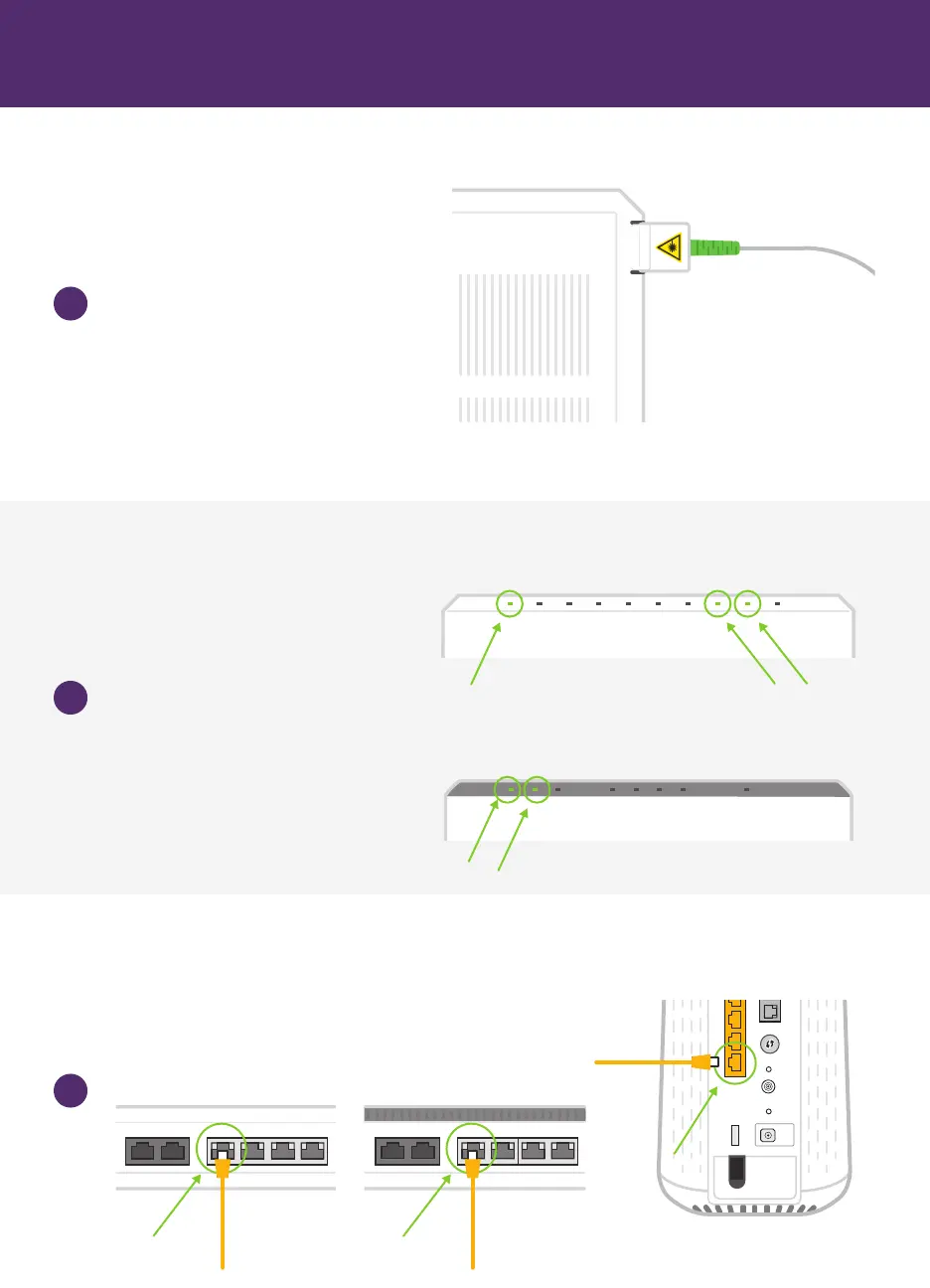
Check the front of the Fibre Terminal
that the correct lights are on. If no
lights are on, make sure the device is
plugged into a power outlet. If the
lights indicated below are not green,
please call TELUS for help.
Make sure the Fibre Terminal is
powered on and connected to fibre.
There should be a fibre line coming in.
If there is no fibre line coming in,
please call TELUS for help.
2b
2a
Step 2: Connect the Fibre Terminal to the Wi-Fi Hub
Use the Ethernet cable included in your kit to connect
the yellow LAN/WAN (4) Port on the TELUS Wi-Fi Hub
to Data 1 or LAN 1 on the Fibre Terminal.
2c
Nokia Fibre Terminal
Alcatel Fibre Terminal
PWR, NTWK and MGMT
lights are green.
POWER and WAN lights are green.
Back of TELUS Wi-Fi Hub
Nokia Fibre Terminal Alcatel Fibre Terminal



 To Next Page