5
Default Wi-Fi Network: TELUS1234
Default Wi-Fi Network: PASSWORD1234
Step 3: Connect and setup your Wi-Fi network
Download the TELUS My Wi-Fi application on your mobile device.
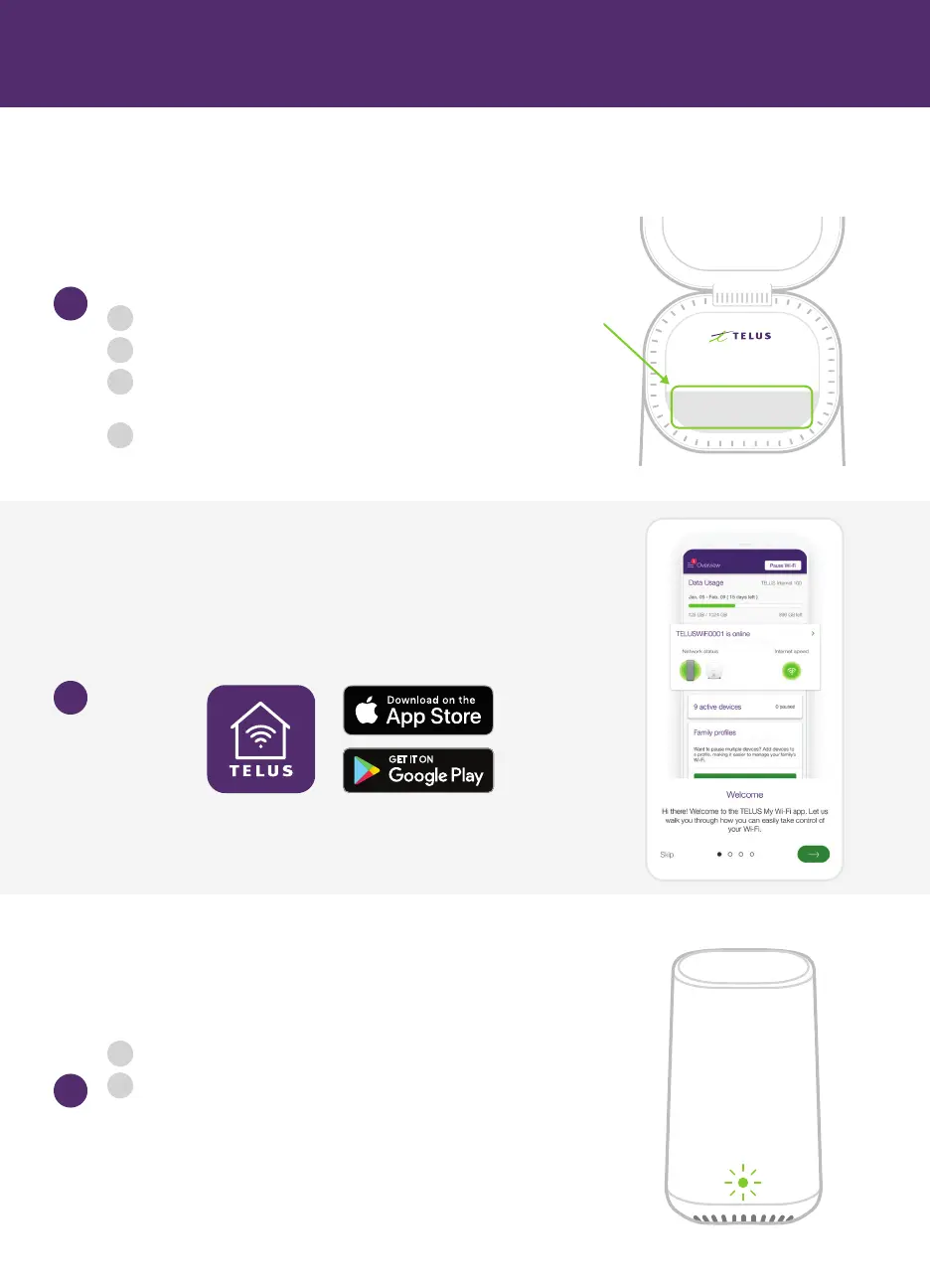
Connect a mobile device (any Android or iOS phone or tablet)
to Wi-Fi using the Wi-Fi Network and Wi-Fi Password
under the lid on the top of the TELUS Wi-Fi Hub.
If you have the TELUS My Wi-Fi App, or can download it with mobile data, open the app,
follow the onscreen instructions to setup the TELUS Wi-Fi Hub, and skip the rest of Step 3.
3b
3a
3c
i
ii
iii
iv
On your mobile device, find the Settings menu
Select Wi-Fi settings and ensure that Wi-Fi is toggled On
Choose the Wi-Fi Network Name found on the top of
your TELUS Wi-Fi Hub (usually TELUS####)
When asked, enter the Wi-Fi Password from the top of
your TELUS Wi-Fi Hub
Open the TELUS My Wi-Fi app to setup your TELUS Wi-Fi Hub:
i
ii
In the app, tap the Wi-Fi icon on the bottom
Tap the pencil icon to change the Wi-Fi network name and
Wi-Fi network password for each of your Wi-Fi networks.
They can all be the same if you wish. Choose Network name(s)
and Password(s) you will remember, as you will use it to connect
all of your devices.



 To Next Page