A07A2200S
The first page is just an introduction to the system, of which it’s possible to know the options
installed or the hour of the last switching on. At the right bottom of the display there is a grey
window with an arrow and if it is entered it’s possible to enter into the following pages:
DT 100 FM BroadcastingTransmitter
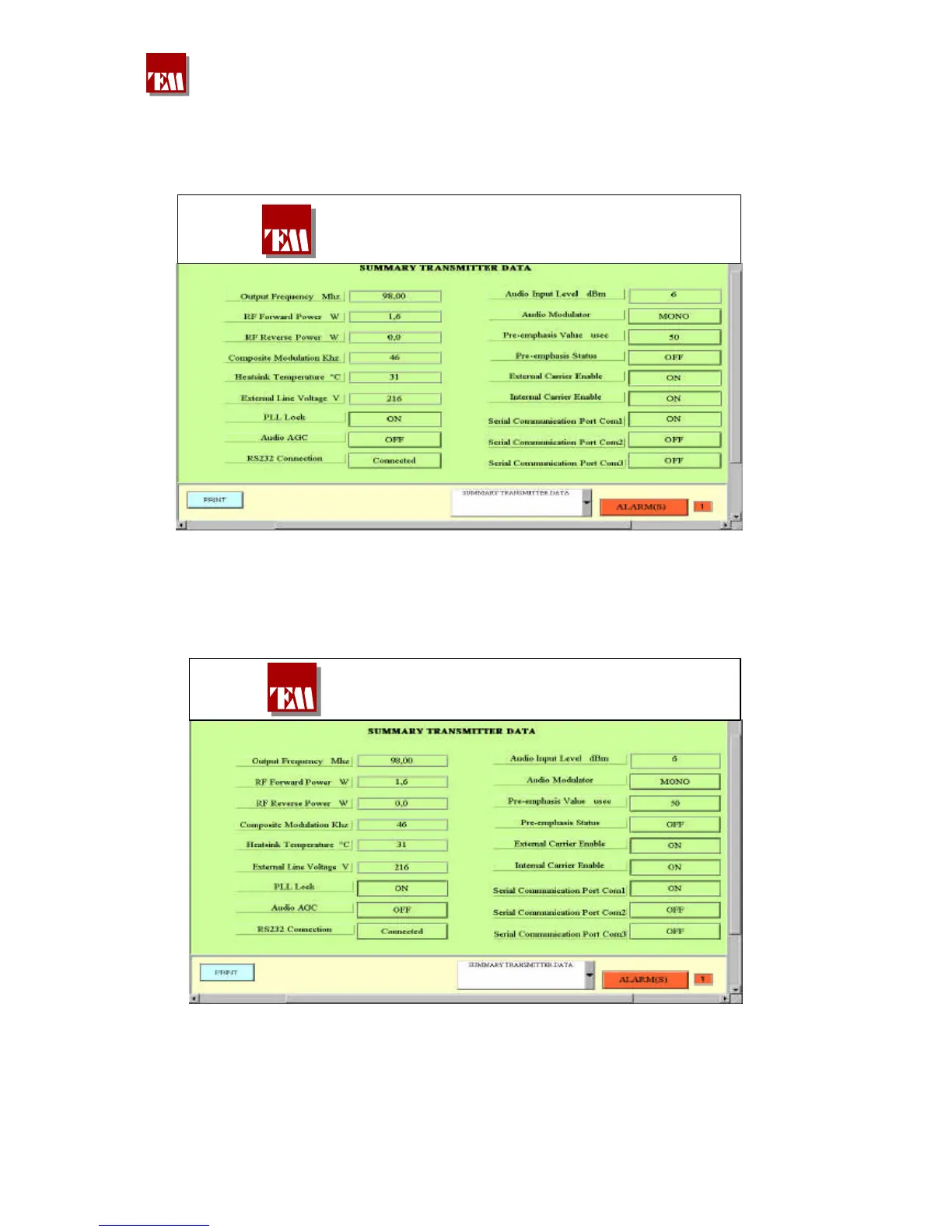
The second page allows to know all the transmitter operation data: frequency–power etc., without
the possibility to modify them. Choosing by the lower arrow the third page the data displaying of
the input low frequency signal and modulation can be entered:
DT 100 FM Broadcasting Transmitter
All the pages have different coloured windows to divide the width measurements from the setting of
them. On the top of this page it’s possible to check which channel is displayed on the screen shot
(COMPOSITE); to change this display because, for example, one wants to check the LEFT course,
one must enter the lower window (MODULATION SETTINGS), and press “DATA SETTING
ENTER“. The red button will switch on, the modulation will disappear and changing in the window
380 221 R02 Pag. 45


 To Next Page