A07A2200S
“Channel Modulation“, the respective changes will be displayed on the higher window too. When
the chosen data are the requested ones it’s possible to switch the red button off and the normal
displaying will be restored.
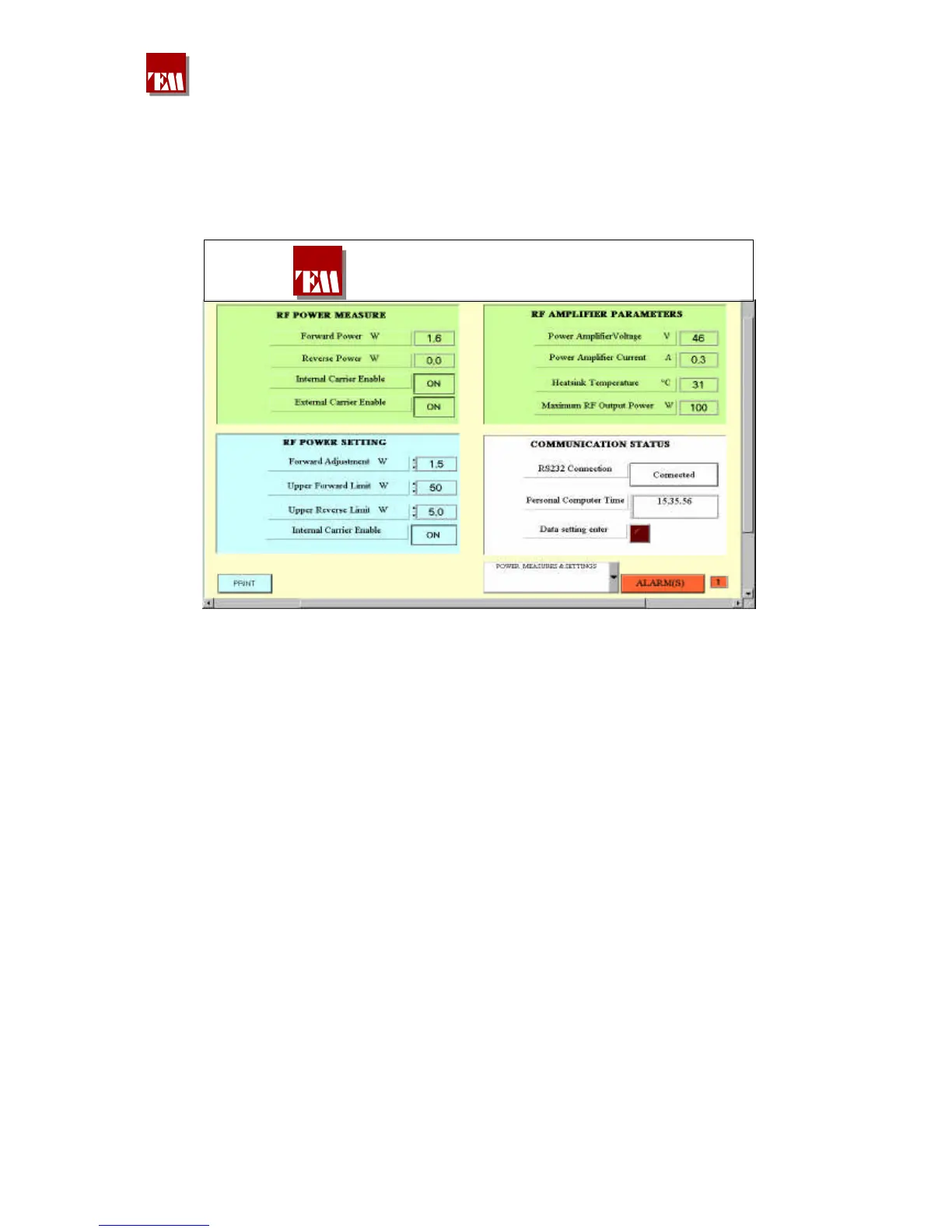
Selecting the fourth page the power settings are entered:
DT 100 FM Broadcasting Transnmitter
Here also the settings are distinguished from the measurements by a different colour.
To change data it is sufficient to press the red button, which will lighten, and will change data in the
RF POWER SETTING window. At every new setting a changing of the measurement displayed
above will correspond. On the top right window also the power final stage parameters are reported.
Choosing the next page there will be:
380 221 R02 Pag. 46


 To Next Page