Page 7
Example:
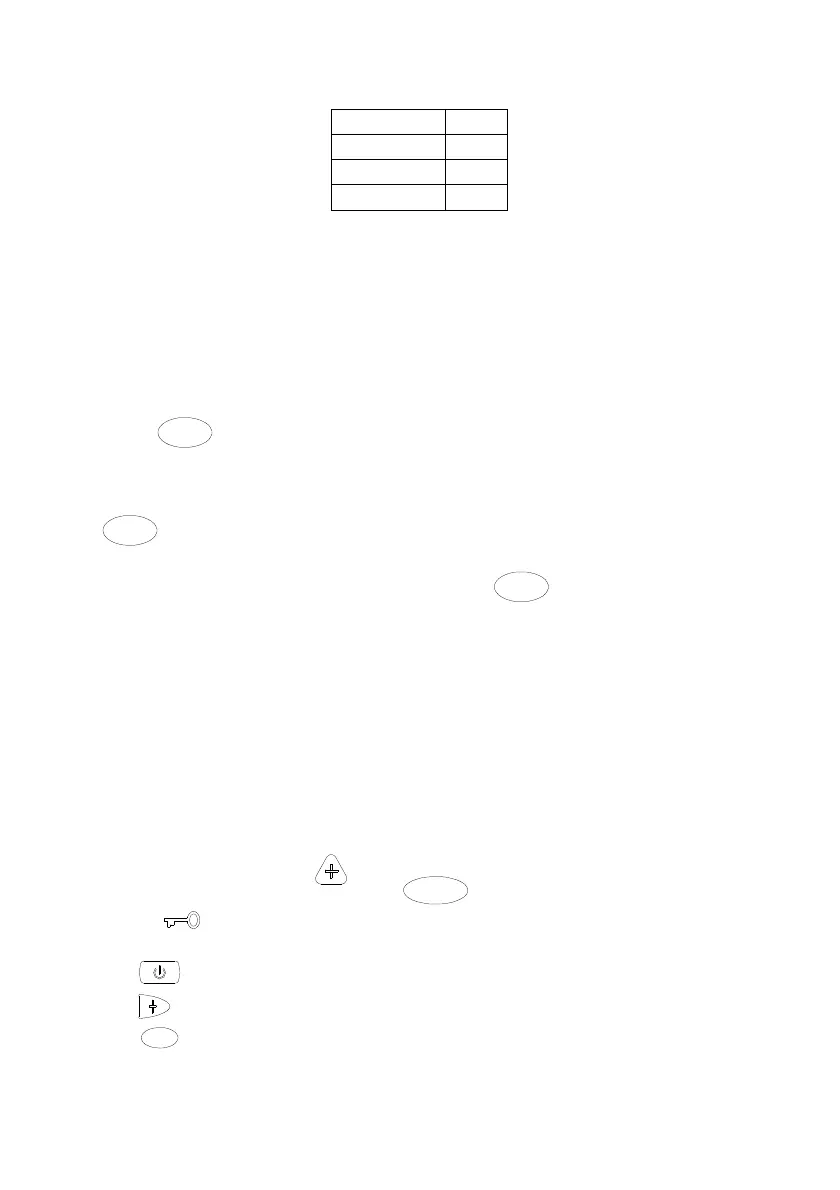
Two sessions of on and off timer per day being set as follow:
P1 on timer
0800
P1 off timer
1200
P2 on timer
1300
P2 off timer
1700
If current time is 0730 hrs, it will remain as last state. At 0800 hrs, it will turn on the
unit using P1 on timer. At 1200 hrs, it will turn off the unit using P1 off timer. At 1300
hrs, it will turn on the unit using P2 on timer. At 1700 hrs, it will turn off the unit using
P2 off timer.
Pressing on/off button to on/off the unit will bypass the control of current event. The
second event will take over upon expiry of current event.
Example: If user turns off the unit at 1000 hrs, it will remain off until 1300 hrs, at
which time control is taken over by timer P2.
Sleep Activation
Press
SLEEP
button to activate the sleep option. This option saves energy by
altering the set temperature over a two hours period.
Example uses:
In Summer, before going to bed at night with the cool mode set, pressing the
SLEEP
button gradually raises the set temperature by 2 degrees to compensate for
a person’s lower metabolism when sleeping.
In Winter, with the heat mode set, pressing the
SLEEP
button gradually lower the
set temperature by 3 degrees to compensate for heavier winter bedding.
The sleep option is only available for Cool, Heat and Auto modes.
Zone Control (option)
If your air conditioning installation has zones installed (i.e. dampers), select the
zones to be turned on using the appropriate Zone button. Zone 1 is always assigned
as master zone. Each zone can be individually turned on or off. However, zone 1
can only be turned off provided there are two other zones turned on.
Key Lock
This feature protects the control being tampered with by children or unauthorized
persons.
To activate, hold down
and
M O D E
buttons for 3 seconds, key lock
symbol will light up.
When the key lock is active,
a) button can be used to on or off the system.
b)
button can be used to program the Bypass timer (refer below).
c)
CANCEL
can be used to cancel the Bypass timer.
d) Other buttons are ignored.



 To Next Page