TEMPUR-PEDIC ACTIVEBREEZE® USER MANUAL | 23
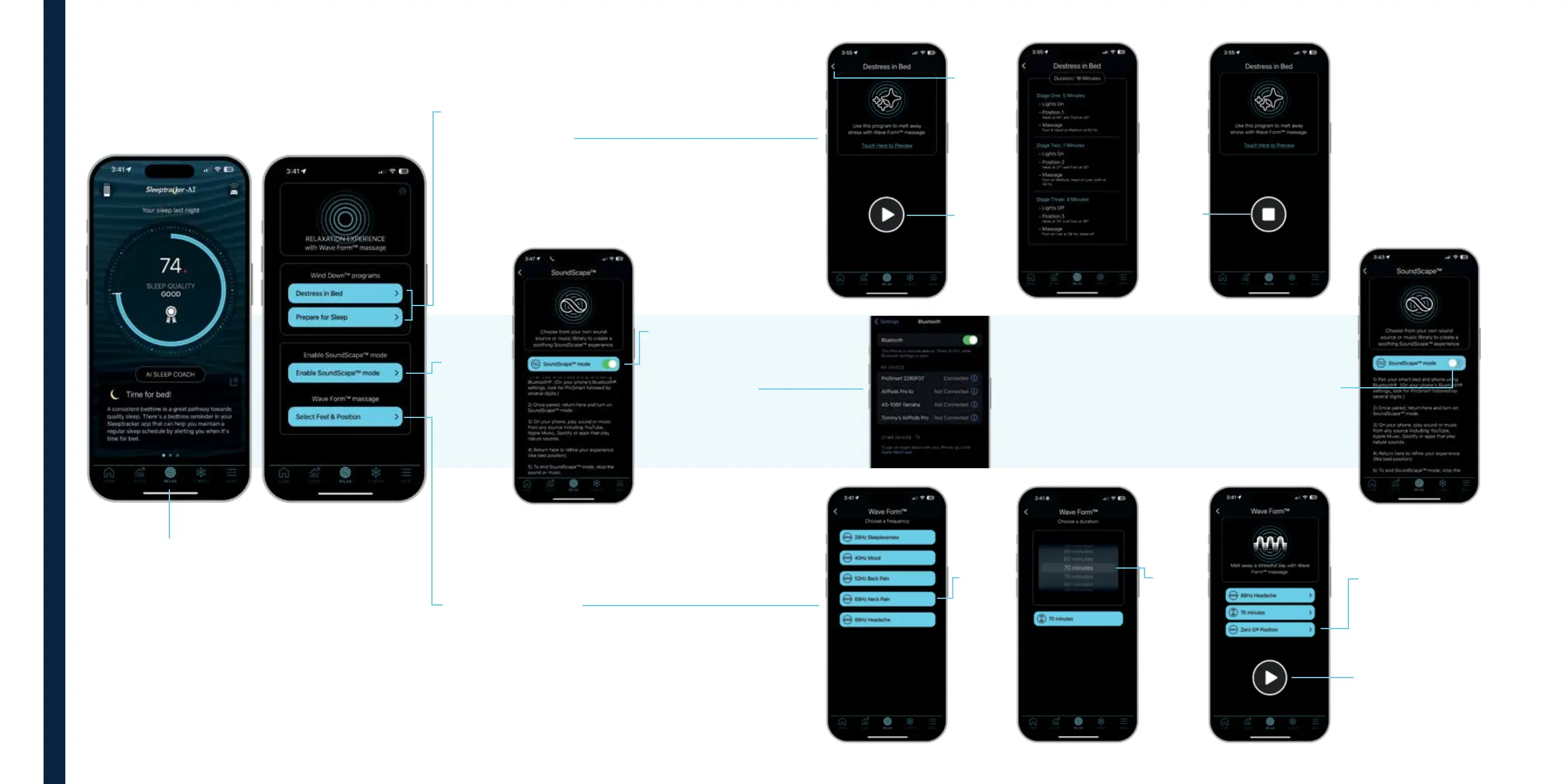
SLEEPTRACKER-AI® APP GUIDE
Begin with the
Sleeptracker-AI
®
home screen:
Select Relax to
personalize your
sleep climate.
Under WaveForm™ massage,
tap Select & Feel Position.
Tap Enable
SoundScape™
mode.
Under “Wind Down®
Programs,” select Destress
in Bed or Prepare for Sleep.
Tap to
select your
massage
frequency.
Once connected, tap
SoundScape™ mode
and toggle from “o”
to “on.”
From the device you’ve
selected, you can play
any audio from any
source, including the
Tempur-Pedic® Playlist
on Spotify®.
Once the audio is selected,
return to the Sleeptracker-AI®
app to refine your experience,
like bed position, which is
accessed by selecting
Remote in the task bar.
Continue in SoundScape™
mode, or end the experience by
stopping the audio, and toggling
SoundScape™ mode to “o.”
Tap the
back
arrow to
continue.
Once you
select the
program of
your choice,
tap the start
button.
Wait for the
program to
end, or
press Stop.
Tap the Bed
Position button to
change position or
select a preset.
Tap the Play button
to start your Wave
Form™ massage.
Choose
the
duration
of time.
Wind Down
®
Programs
SoundScape™
Mode
WaveForm™ Massage



 To Next Page