TEMPUR-PEDIC ACTIVEBREEZE® USER MANUAL | 13
PROSMART® AIR REMOTE GUIDE
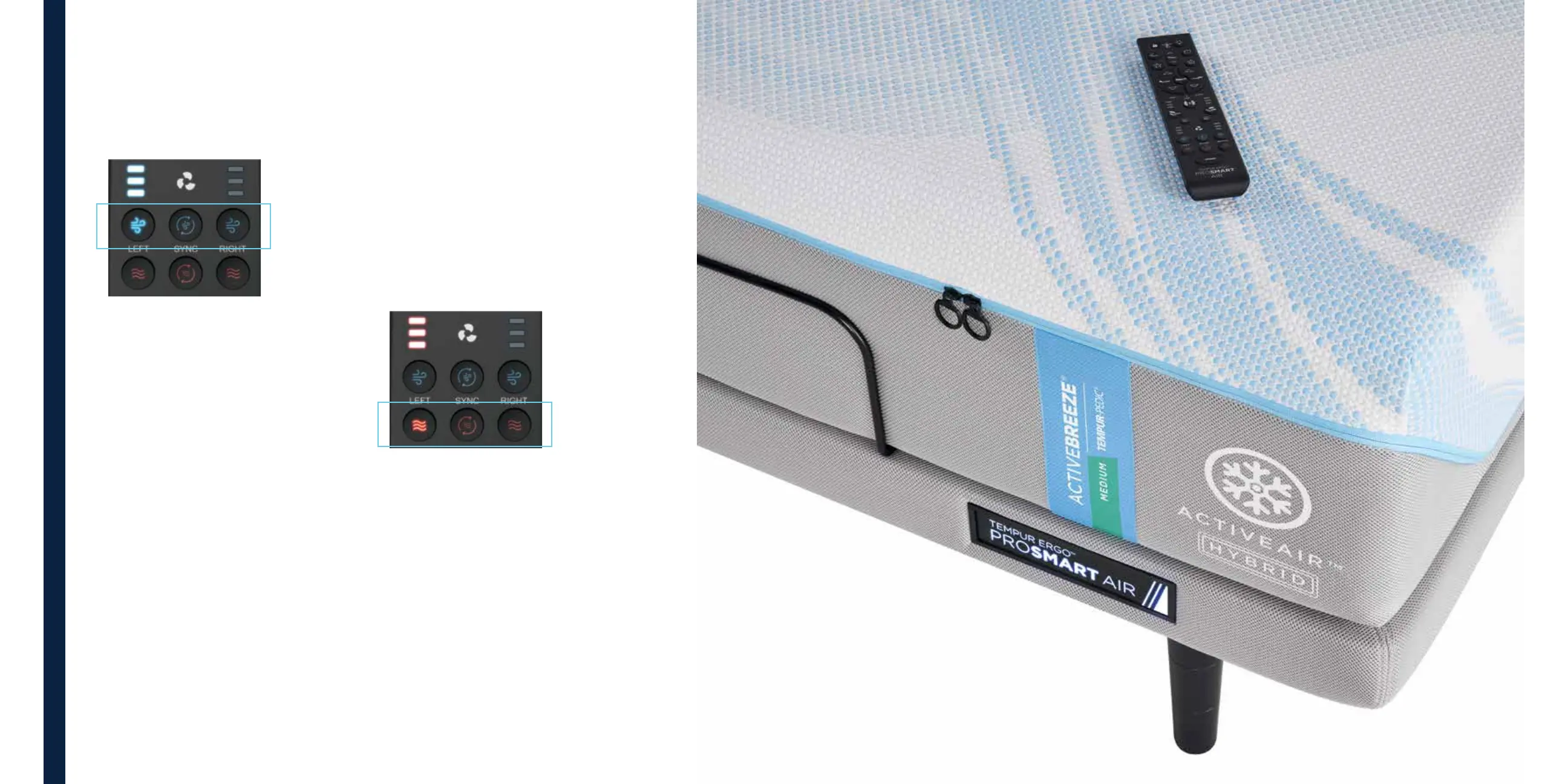
How to select the level of cooling on
Constant Mode:
Constant Mode: Low-Level Setting
Once the remote is active, press and release
the blue cooling button once, then press
again, holding the button for 3 seconds before
releasing to activate the low level, Constant
Mode program. The first blue LED light will
come on and flash after a 3-second hold.
Constant Mode: Medium-Level Setting
Once the remote is active, press and release
the blue cooling button twice, then press
again, holding the button for 3 seconds
before releasing to activate the medium level,
Constant Mode program. The first two blue
LED lights will come on and flash after
a 3-second hold .
Constant Mode: High-Level Setting
Once the remote is active, press and release
the blue cooling button three times, then press
again, holding the button for 3 seconds before
releasing to activate the high level, Constant
Mode program. All three blue LED lights will
come on and flash after a 3-second hold.
How to select 60-minute Bed Warming:
If you like
getting into
a warm bed,
use the remote
to select
60-minute
bed warming.
Once the remote is active, press and release
the right, left or middle red button to activate
the 60-minute, one level bed warming.
Red LED lights will indicate if bed warming
is active. All three red LED lights will come
on if active.
If warming is o, the first press will turn the
bed warming on for 60 minutes and all three
red LED lights will come on.
TEMPUR-PEDIC ACTIVEBREEZE® USER MANUAL | 13



 To Next Page