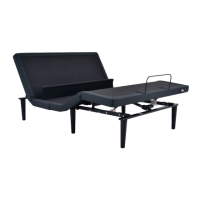
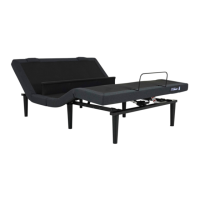
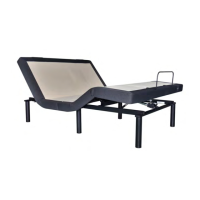
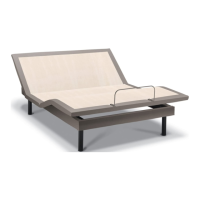
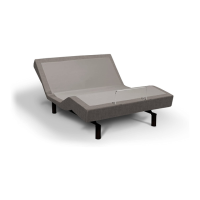
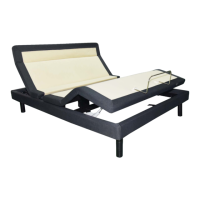
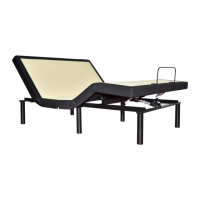
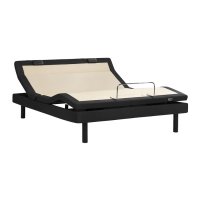
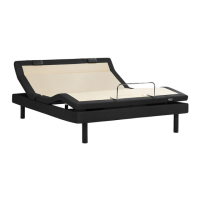
Always use two people when setting up the base.
Place the bed base box in a desired location with the
bottom of the box facing up.
Remove the binding straps and packing materials, making
sure not to puncture the box with any sharp objects.
If installing a headboard, please see headboard bracket
installation instructions in Owner’s Manual on page 16.
See Owner’s Manual for complete operating instructions.
Always use 2 people when setting up the base.
PART LIST
Before discarding the packing materials ensure all the parts are accounted for.
Some parts may be attached to the base or inside boxes, please inspect
carefully.
BASE SETUP KING/CAL KING SETUP
(1) Wireless
Remote
(3) AAA
Batteries
(1) Power
Cord
(1) Power
Supply
(1) Battery
Backup
Box
Optional Equipment:
(not included)
• Surge Protector
• (2) 9V Batteries
To set up and sync two bases with the Smart Sync Cord and
connecting strap, see installation instructions in Owner’s Manual
Uncoil the Power Down Box from the
frame.
Place box on the ground. Ensure that
it is easily accessible when the base is
turned to its upright position.
Uncoil input cord (connected to
control box’s power port) and
plug into Power Supply.
Install the legs by
threading the washer
over the bolt of the leg
with the recessed side
facing the leg, and tighten
by hand. Do not over
tighten.
*If installing a King/Cal King base please refer to the
instructions on next page.
Install (3) AAA batteries in remote control.
Quickly test functions to verify proper setup
before placing mattress on base. Return
the base to a at position before placing the
mattress on top.
Carefully ip the base over on to its legs. Important: Two
people are required to move the bed base. Do not drag
across the oor. Do not rest frame on its side, excessive
pressure may damage the legs.
Uncoil the Power Cord and connect to
the Power Supply. Place Power Supply
on the ground and extend from the
base. Ensure that the Power Supply
and all attached cords are directed
toward the desired surge protector.
Plug the base into a power source. A surge protector is
strongly recommended.
Slide the left side of the mattress retainer bar into the
bracket. Pull the retainer bar into the opposite bracket
and secure the right side.
Test all functions on the base to ensure proper setup. For
more information please see Owner’s Manual
For Tempur-Pedic
®
customer service call:
U.S. 1-800-821-6621 | Canada: 1-800-887-4321
México: 01-722-273-1810
STEP
1
STEP
4
STEP
5
STEP
6
STEP
7
STEP
8
STEP
9
STEP
2
STEP
3
(1) Mattress
Retainer Bar
Only included in split bases:
(1)
Connecting
Strap
(1) SmartSync
®
Cord
Push and align the head and foot sections together. Make
sure to align the bolt holes as seen in Fig. A. The frames
also need to be aligned as seen in Fig. B.
Once aligned, install 4 short bolts in the middle frame.
Secure bolts with nuts and washers as seen in Fig. C and D.
*Located in the box labeled: Foot (Box 2 of 2)
Slide C-Clamp over frame connections from Fig. B. Use 2
long bolts, washers and nuts to secure frames together
using provided wrenches. Repeat this step for the other
side of the base.
Attach the legs by screwing them into the leg threads. Do
this on all four corners and on diagonal sides in the middle.
Refer to Fig. G.
Connect the foot motor and
foot massage motor cable
to the appropriate labeled
ports on the control box.
Connect the LED cord to the
main LED box.
C-Clamps (2)
Long Bolts (4)
Short Bolts (4)
Washers
(16)
Nuts (8)
13mm Wrench
5mm Hex
Wrench
Fig. A Fig. B
Fig. C Fig. D
Fig. E
Fig. F
KING/CAL KING ADDITIONAL PART LIST*
Before discarding the packing materials ensure all the parts are accounted for.
Some parts may be attached to the base or inside boxes, please inspect carefully.
STEP
2.1
STEP
2.2
STEP
2.3
STEP
2.4
STEP
2.5
To install Headboard Brackets (sold separately)
see instructions on page 17 of the Owner’s Manual
Setup is now complete!
Please continue with Step 4 on previous page.
(4) Legs &
Washers
*6 legs included
with King/Cal king
Fig. G


 To Next Page
 Loading...