5
【"Dry sound" is the original mic vocals recording without any post-processing, which can be
understood as the sound recorded by the microphone. "Wet sound" is the post-processed
vocal recording.】
10.Dodge button/status light: Auto-ducking mic input; When turned on, it dodges the
microphone sound for the current response accompaniment song. (in other words, the sound
card will automatically lower the accompaniment sound when the anchor speaks, and
automatically resume the accompaniment sound after stopping talking.). It is recommended
to turn on the "Dodge" function during the livestream.
11.BT button: Turn on/off the BT function of the sound card. (BT function is only used for BT
wireless accompaniment)
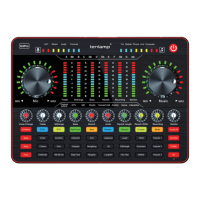
12.Monitor knob: Earphone/headset/speaker monitor volume adjustment and speaker
volume adjustment.
13.Recording knob: Adjust the output volume(output to live streaming devices or recording
devices)
14. Reverb width knob: adjust the width of reverberation effect.
15. Reverb length knob: adjust the length of the reverberation effect.
16. Audio knob: adjust the volume output to speaker.
17. Music2 knob: adjust the volume the musical instrument device input.
18. Bass knob: adjust the effect of microphone vocal bass.
19. Midrange knob: adjust the effect of the microphone vocal midrange.
20. Treble knob: adjust the effect of the microphone vocal treble.
21. Voice change knob: fine-tune the effect of the current voice change mode.
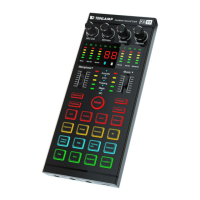
22. SFX buttons: 24 popular warm-up special effects for live atmosphere creation.
23. 4 voice changer buttons: Goddess, Male, Baby, pitch(special voice); at the same time
the corresponding status lights are on. In Pitch mode, through the Voice-change knob, can
adjust 4 interesting voice changing effects. In the voice changer mode, it is recommended to
adjust voice with the Treble, Midrange, Bass, Voice-change, ect knobs, and the effect will be
better.
24. SFX “+” button: Increase the volume of the warm-up sound effect.
25 Mode light: Lights up to show the current corresponding mode.
26. SFX “-” button: Decrease the volume of warm-up sound effect.
27. Play/Pause button: Can play/pause accompaniment music (only for BT accompaniment).
28. Next button: Switch accompaniment music (only for BT accompaniment).
29. Mic knob: Adjust the input volume of the microphone.
30. Microphone level indication and breathing light: When adjusting the microphone
volume, it indicates the current volume level, and when it is static, it is the breathing light display.
31. Electronic tone mode light: 12 kinds of electronic tones.
32. Microphone level indicator: Real-time display of microphone volume.
33-38 LED dynamic display light: Respond to the corresponding knob to adjust the display,
and when it is static, it is the overall volume bounce display.
39. Accompaniment music level indicator: Display accompaniment music volume level in
real-time.
G3 Pro audio console user manual


 To Next Page
 Loading...