PANEL OVERVIEW
13
PANEL OVERVIEW
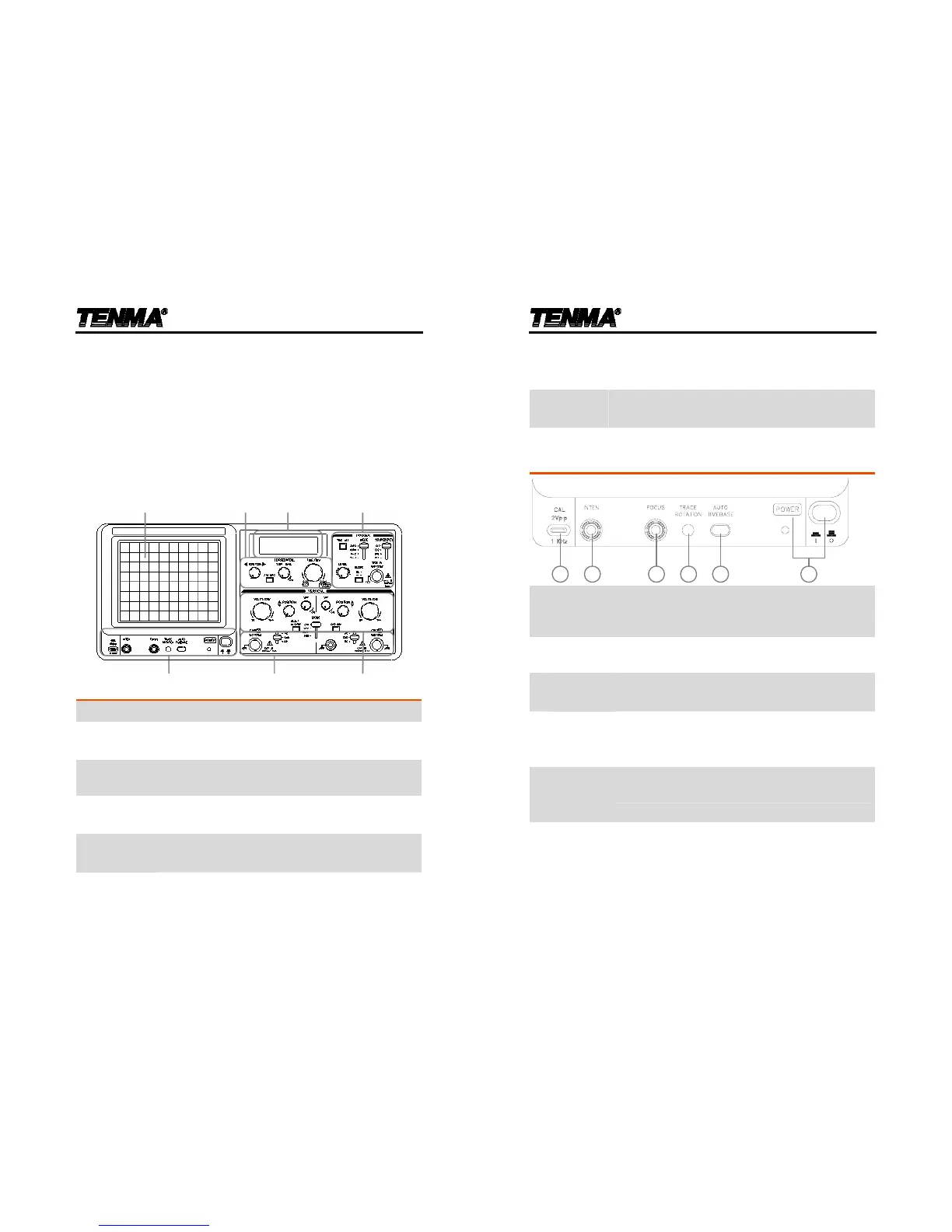
Front Panel Overview
Detaileddescriptionsofeachblockstartfromthenextpage.
Main Display
Showsthewaveformsofinputsignals.
Display
Controls
Controlspoweron/off,displayconfiguration,and
theprobecompensationoutput.
LCD Display
Showstheverticalscale,horizontalscale,X‐Y
displaymode,andwaveformfrequencies.
Horizontal
Controls
Controlsthehorizontalscale,horizontalposition,
sweeplength,andx10magnification.
Vertical
Controls
Controlstheverticalscale,verticalposition,display
mode,CH2inversion,andalternatedisplaymode.
72-6802 User Manual
14
Trigger
Controls
Controlsthetriggermode,triggerlevel,trigger
couplingsource,triggerslope,andalternate
triggeringmode.Acc eptstheexternaltriggerinput.
Input
Terminals
AcceptstheCH1andCH2inputsignalsandground
wire.Controlstheinputsignalcouplingmode.
Display Controls
654321
1 CAL Output
Generatestheprobecompensationsignal;2Vp‐p,
1kHz,positivesquarewave.Forprobe
compensationdetails,seepage26.
2 INTEN Knob
Controlsthebrightnessofalightspotortracein
thedisplay.
3 FOCUS
Knob
Controlsthefocus(sharpness)ofthewaveformsin
thedisplay.
4 TRACE
ROTATION
Point
Controlsthealignmentofthehorizontaltracein
parallelwithgraticulelines.
5 AUTO
TIMEBASE
Key
Automaticallyadjuststhehorizontalscaletoan
appropriaterangeaccordingtotheinputsignal.
6 POWER
Switch
Turnsonorofftheoscilloscope’smainpower .
Whenthepowerison,theLEDlights.



 To Next Page