TM-6002
EN-10
Battery Replacement
CAUTION
Do not attempt to measure DC voltage exceeding
40V。Do not attempt to measure AC voltages, This
could result in jury or damage to the unit
Do not attempt to measure the voltage of a generator.
This would result in an AC voltage being applied to the
voltage generating output terminals, which is
dangerous.
After measuring a high voltage battery, before
continuing to measure a low voltage battery first short
the measurement leads together. This will discharge
the DC-elimination capacitor which is connected
across the leads. Otherwise an excess voltage may be
applied to the low voltage battery, which is dangerous.
1. Connect the following test leads to the meter:
Red test lead to SOURCE〝+〞jack
Black test lead to SOURCE〝-〞jack.
Yellow test lead to SENSE〝+〞jack
Blue test lead to SENSE〝-〞jack.
Temperature plug to TEMP SENSOR (TM-6002).
2. Press power key turn on the meter。
3. Press Ω-RANGE key to select desired impedance ranges。
4. Press V-RANGE key to select desired voltage ranges。
5. The zero adjustment function is to zero range of impedance. The reading
during zero adjustment will be taken as zero and will be used to calibrate
subsequent measurements.
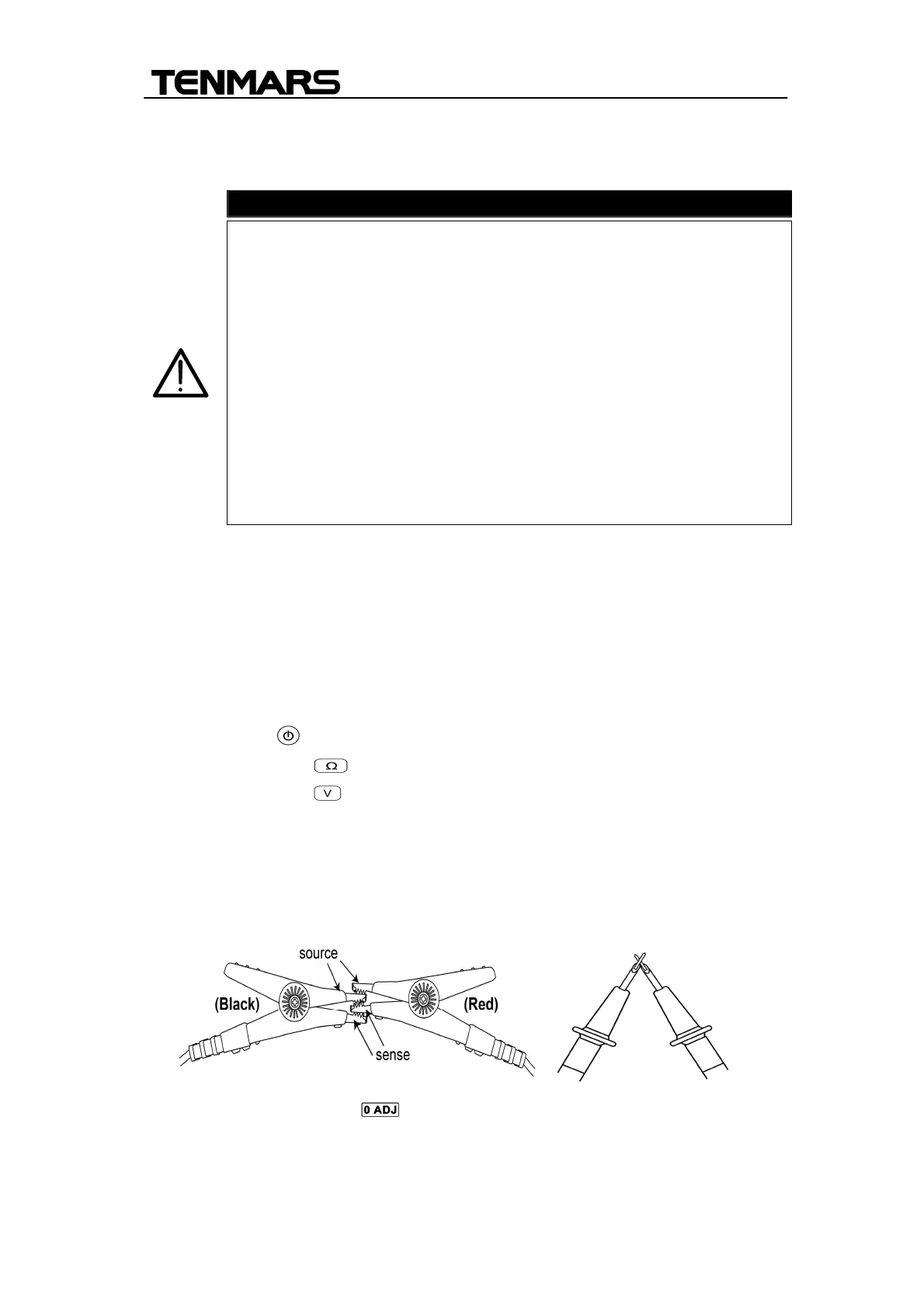
6. (1).Short the red and black test leads probe four (4) terminals.
7. Press Zero adjustment key for 2 seconds to start the zero
adjustment. A flashing “0 ADJ” appears on the screen; when the tester
reads a steady value of the resistance lower than 1000; then the screen


 To Next Page