TM-6002
EN-11
displays “0” and stop flashing ”0 ADJ”.
Press key again to disable the zero adjustment.
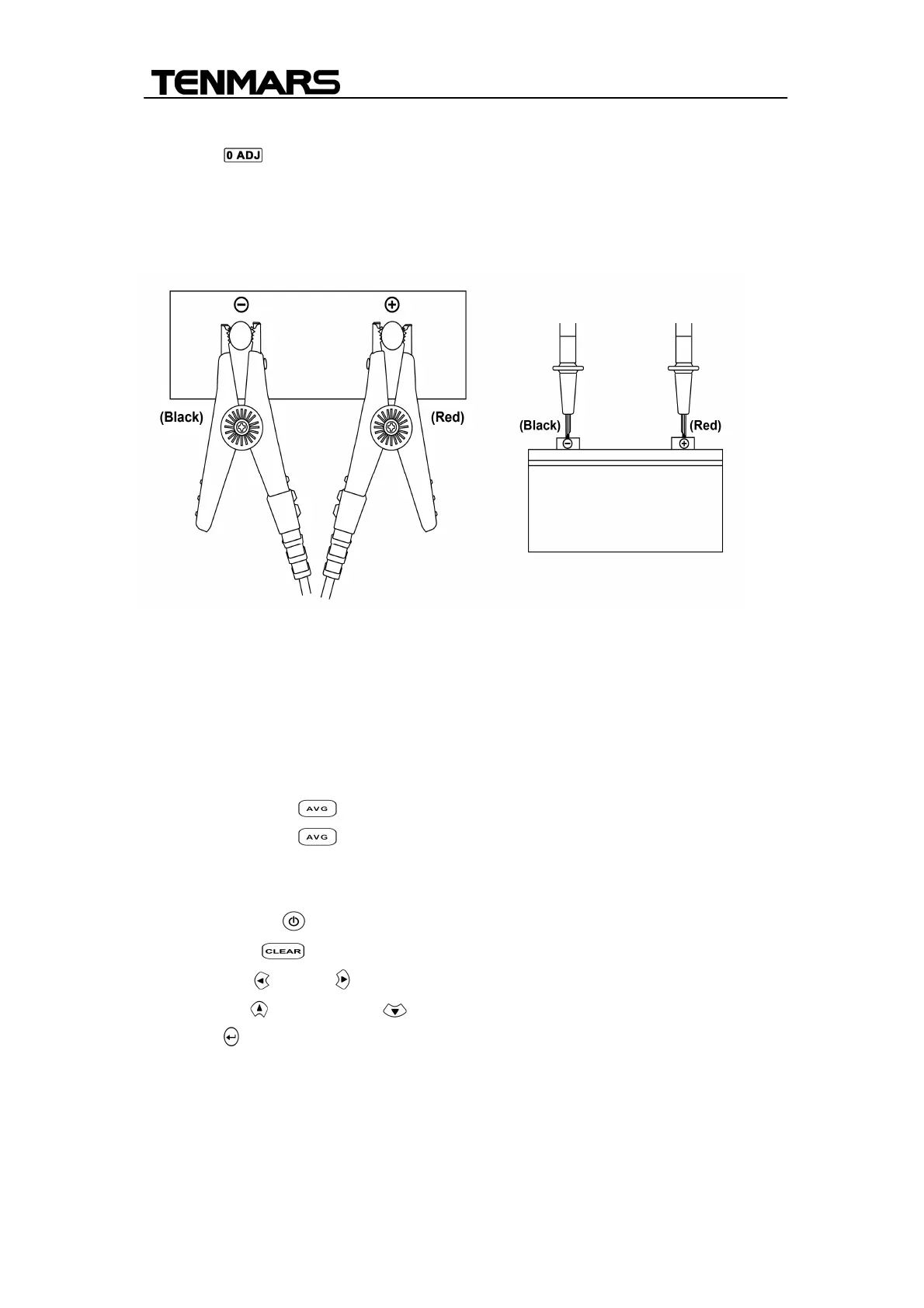
8. Connect the red test probe to the positive battery terminal, and the black
test probe to the negative battery terminal.
9. Read the battery internal impedance or DC voltage directly and
Temperature measurement(TM-6002) from the display.
Note:When the measured DC voltage or battery internal impedance value is
over range, “OL”is displayed.
Enable average function
1. Press average key to enable the average function.
2. Press average key again to exit average function.
Clock setup
The clock of this meter is 24-hour time format.
1. Press power: key to turn on the meter,
2. Press clear key to enter the clock setting mode.
3. Press left or right key to select the options for adjustment.
4. Press up key or down key to change the digit.
5. Press key to store the setup and exit the mode.
Comparator Settings
The comparator function compares the measured values with preset High and
Low limit values for internal impedance and voltage level, and determines the
range that the measurement should fall into. Then according to the following


 To Next Page