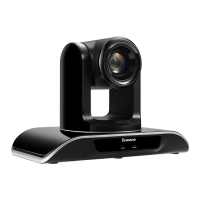
Need help?
Do you have a question about the Tenveo V3.21 and is the answer not in the manual?
Introduction and welcome message for users of the HD conference camera.
Important safety warnings and handling instructions to prevent damage during use and installation.
List of items included with the HD conference camera, such as cables, power supply, and remote.
Detailed specifications including input voltage, power, baud rate, protocols, and physical dimensions.
Technical details of the camera, including sensor, FOV, focal length, HD format, and signal system.
Identifies the ports and indicators on the camera's front and rear panels for easy connection.
Visual representation of the camera's connection ports and their labels for setup.
Step-by-step guide for surface and ceiling mounting, including angle limitations for optimal performance.
Detailed explanation of each button's function on the remote control for camera manipulation.
Guides on basic functions like selecting cameras, controlling direction, and focusing.
Instructions for using manual/auto focus and adjusting zoom speed for optimal image capture.
How to set, call, and cancel preset camera positions for quick access to specific views.
Configuration of DIP switches for ON/OFF settings and PTZ address selection.
Information on RS-485 and RS-232 interface pin distributions for connectivity.
Specific pinout for the VISCA RS-232 IN and OUT ports for system integration.
Solutions for common problems like video display, control, remote, USB, and PC connection issues.
Details on warranty period, terms, and conditions for free repair and chargeable services.
 General
| Category | IP Camera |
|---|---|
| Tilt Angle | 90° |
| Sensor | 1/2.7" CMOS |
| Viewing Angle | 90° |
| Night Vision | Yes |
| Video Compression | H.264 |
| Model | V3.21 |
| Resolution | 1080p (1920x1080) |
| Connectivity | Wired (Ethernet) |
| Audio | Built-in microphone |
| Operating Temperature | -10°C to 50°C |

 To Next Page