CAMERA SETUP continued
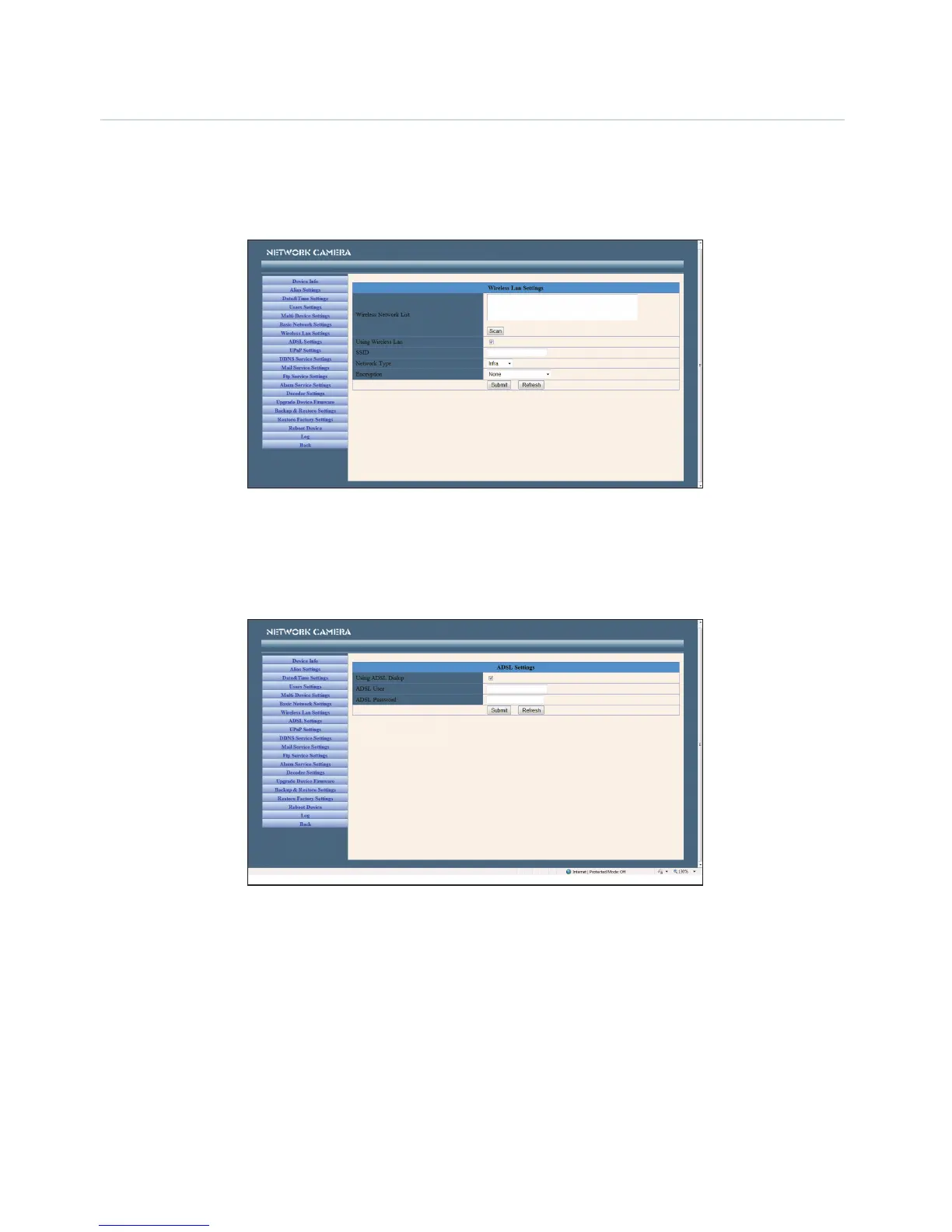
Wireless LAN Settings
Enter the wireless settings page of the Wireless Router to find out the SSID, Channel, Encryption and
Authentication details. This product supports WEP and WAP security encryption.
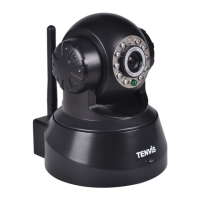
ADSL Settings
When connected to the Internet through ADSL, you can enter the ADSL username and password
obtained from your ISP.
DDNS Service Settings
The system supports protocols from some DDNS providers such as dyndns.org. Enter the following
information once the DDNS information has been setup.
User and Password: The User Name and Password used when applying for the domain name.
DDNS Host: The domain name.
DDNS or Proxy Server: If you access the DDNS host through a proxy, you should input the Proxy IP.
DDNS or Proxy Port: The Proxy Port.


 To Next Page