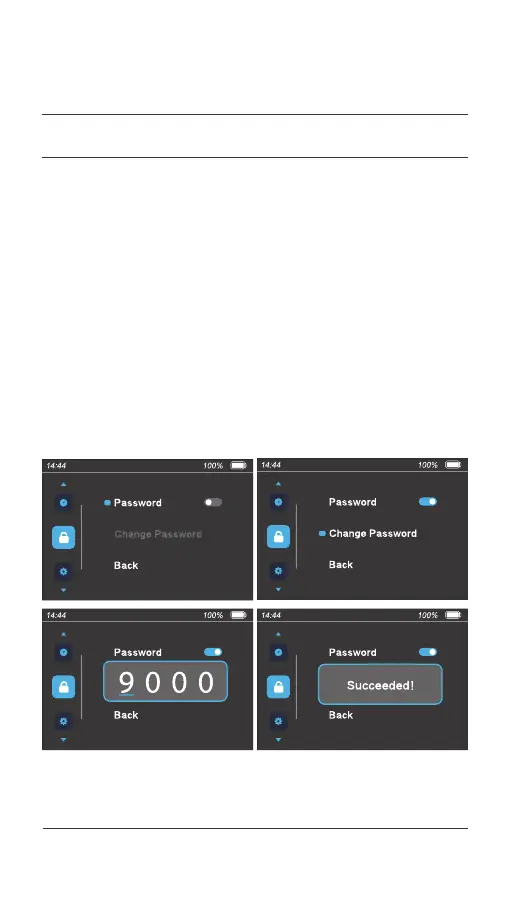
On the menu preview interface, press the [ i ] button to enter the
"Password" menu item. Press the [ + ] or [ - ] button to select the
"Password" item, and press the [ i ] button to enable or disable the
password. Press the [ i ] button to confirm the setting and exit.
If "Password" is enabled, press the [ Power ] button to confirm and enter
the "Change Password" item. Change the current password by starting
from the first number. Press the [ + ] or [ - ] button to select a number
from 0 to 9, press the [ i ] button to confirm the number, and set the
second number. Repeat the preceding steps to change the password.
Select "Back" to exit the password setting interface.
4.6 Set the user password
045 Display operations
04.
USER MENU



 To Next Page