Teo IP Phone 4104 User Guide 19
A
A
d
d
j
j
u
u
s
s
t
t
i
i
n
n
g
g
t
t
h
h
e
e
T
T
e
e
l
l
e
e
p
p
h
h
o
o
n
n
e
e
A
A
n
n
g
g
l
l
e
e
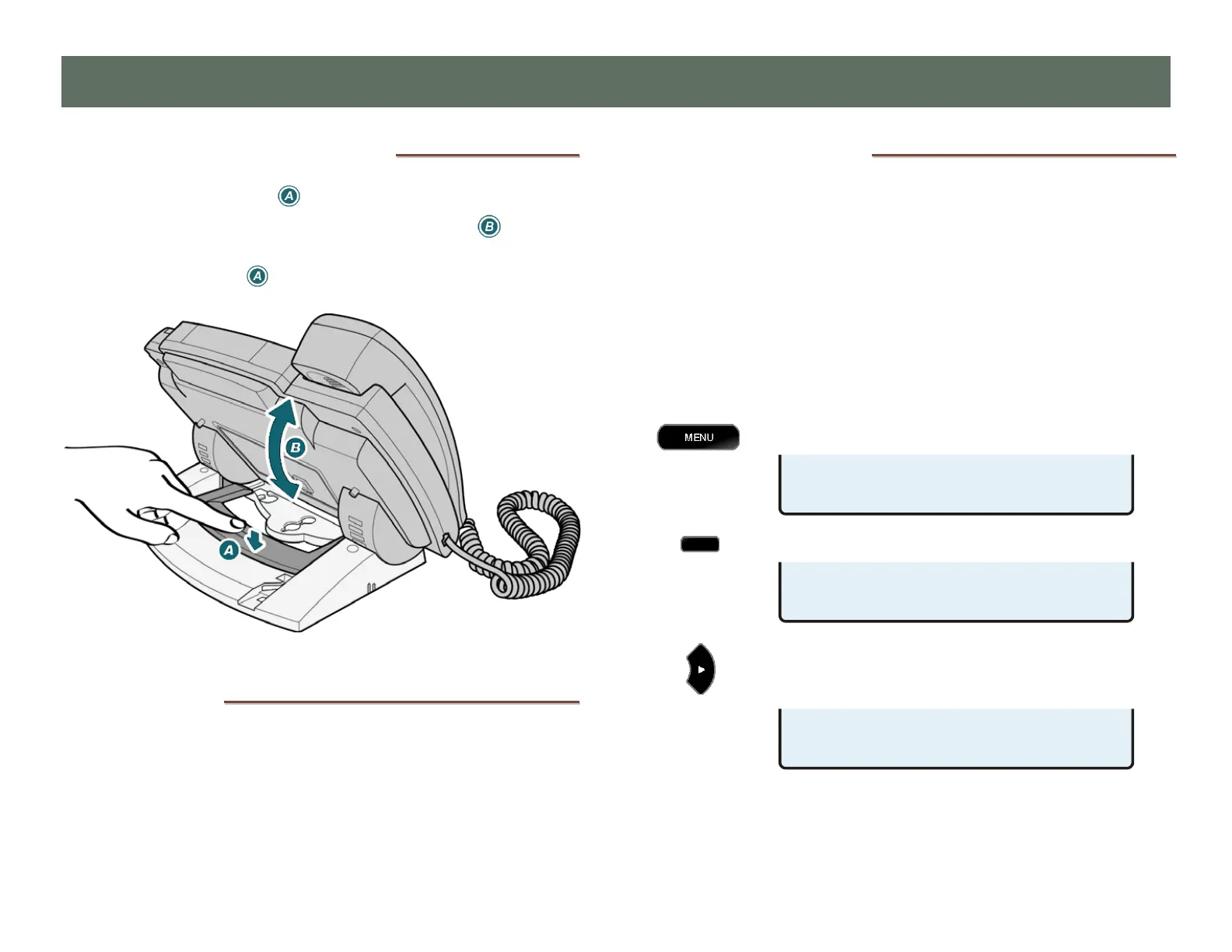
1. Press down the tab to loosen the bracket lock.
2. As you press the tab, rotate the phone body up or
down to adjust tilt.
3. Release the tab to lock the bracket to a slot.
L
L
a
a
b
b
e
e
l
l
i
i
n
n
g
g
K
K
e
e
y
y
s
s
The 12 multifunction keys on the right side of the phone can be
labeled with the telephone number, feature name, speed dial
party name, or other appropriate designation.
Remove the clear label cover by lifting the right side, and then
write or type on the provided paper label. Replace the paper
label and snap the cover into place.
U
U
s
s
e
e
r
r
O
O
p
p
t
t
i
i
o
o
n
n
s
s
M
M
e
e
n
n
u
u
The following personal preference options can be changed
from the User Options menu:
•
Time and Date
• Speed Dial Keys
• Voice Mail Key
• Call Directory
• Personal Ringing
•
Handset/Headset Mode
• Preset Volume Levels
• Display Contrast
• Call Log PIN
You can enter the User Options menu when the phone is idle or
during an active call.
Press the
MENU key.
Select USER.
When
◄
or
►
appears in the upper line of the display,
you can press the Left or Right Arrow key to see
additional menu selections.
The arrow keys also move the cursor position when
entering text or numbers.
C
C
C
u
u
u
s
s
s
t
t
t
o
o
o
m
m
m
i
i
i
z
z
z
i
i
i
n
n
n
g
g
g
Y
Y
Y
o
o
o
u
u
u
r
r
r
P
P
P
h
h
h
o
o
o
n
n
n
e
e
e
USER OPTIONS £
VOICE DISPLY PIN
USER OPTIONS ¤
CLOCK KEYS DIR RING
SETUP MENU
INSTL ADMIN USER



 To Next Page