EasyManua.ls Logo

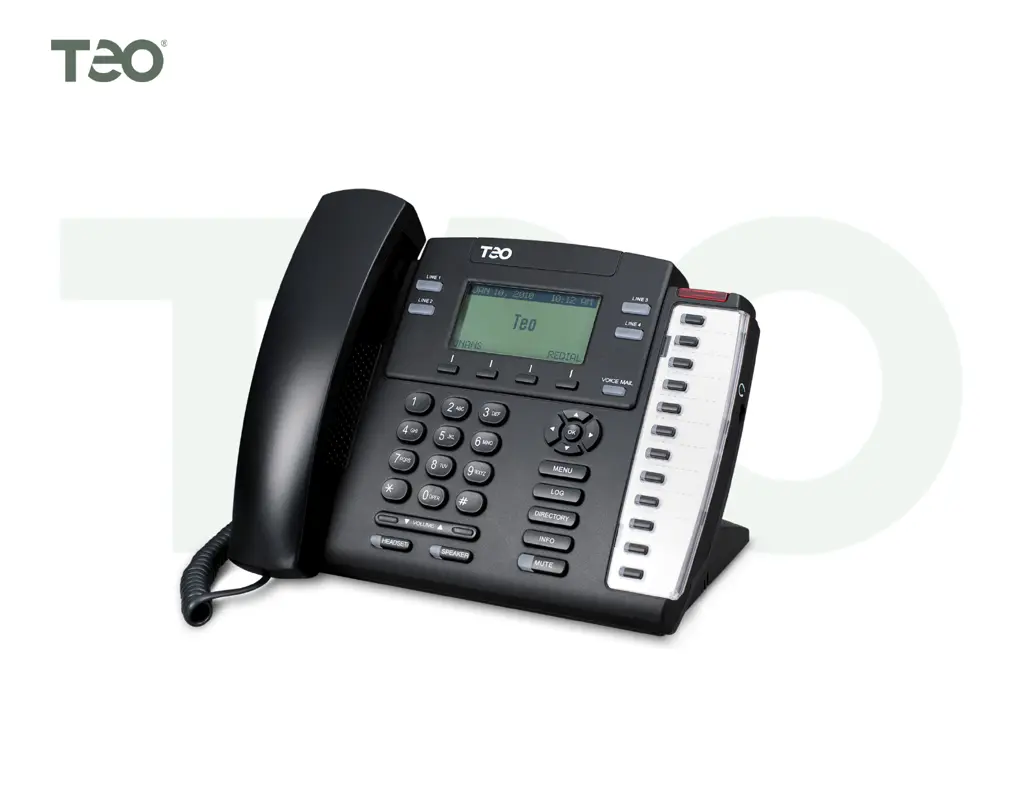
Teo 4104 - User Manual

Default Icon
32 pages
Print Icon
To Next Page IconTo Next Page
Loading...
Software Version 06.04.16, Document #14-280205 Rev. J
January 2014
I
I
P
P
P
P
h
h
o
o
n
n
e
e
4
4
1
1
0
0
4
4
U
U
s
s
e
e
r
r
G
G
u
u
i
i
d
d
e
e

Other manuals for Teo 4104

Questions and Answers

Summary

Controls and Indicators Overview

Display and Navigation Keys

Explains the phone's display screen and the function of navigation and softkeys.

Multifunction Keys and Indicators

Details the use of multifunction keys for line appearance, DSS/BLF, and feature activation.

Operational Keys and Ports

Covers keys like VOICE MAIL, MENU, LOG, MUTE, SPEAKER, HEADSET, and physical ports like headset jack.

Basic Operation and Call Handling

Placing Calls and Dialing

Guides on initiating calls, pre-dialing, automatic/manual line selection, and character entry.

Redial, Speed Dial, and Directories

Explains Last Number Redial, Speed Dial keys, and dialing from Call Log/Directory.

Answering and Managing Calls

Covers answering calls, muting, switching audio devices, and ringing control.

Call Holding, Transferring, and Conferencing

Details procedures for placing calls on hold, transferring, and setting up conference calls.

Call Management Features

Configuring Call Forwarding

Guides on setting up call forwarding for all, busy, or no-answer calls.

Presence and Network Features

Call Log and Directory Management

Audio Features and Settings

User Options: Time, Date, and Speed Dial

User Options: Voice Mail, Directory, and Ringing

User Options: Audio and Display Settings

Call Log PIN Management

Safety and Regulatory Information

Important Safety Instructions

Provides crucial safety guidelines for using the telephone equipment.

Teo 4104 Specifications

General IconGeneral
Lines4
HD VoiceYes
ProtocolsSIP
Audio CodecsG.711
Power Supply5V DC adapter

Related product manuals