Calibration
LAP-TEQ PLUS 27
Step 6
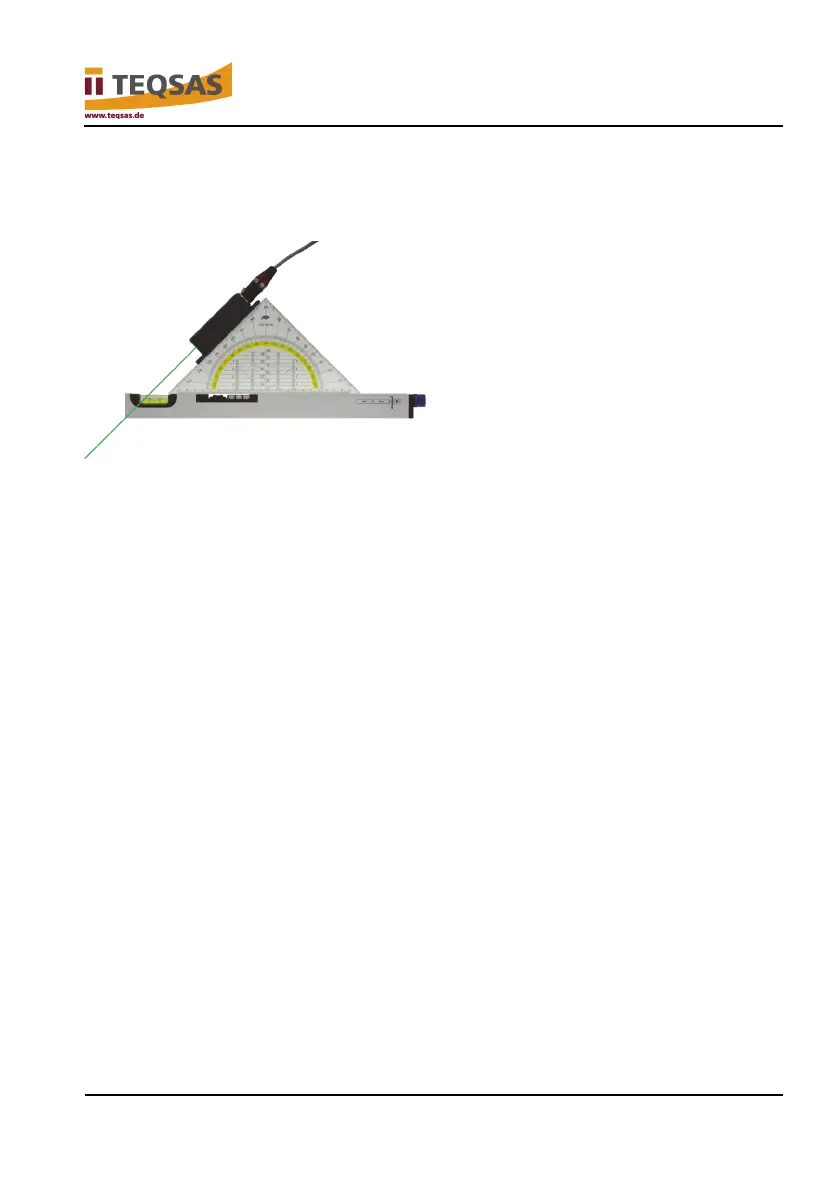
► Use the set square to align the sensor unit so that the laser shines
downward at a 45° angle.
► Press the “CAL” button to start calibration in “-45.0°”.
“don’t move” appears on the display, followed by a numerical value for “-
45.0°”.
Calibration for downward orientation of the base plate is now complete. “Calb
Data stored” appears on the display.
Step 7
If the sensor unit is used only with the base plate downward, nothing more
needs to be done.
If operation with a different orientation is desired, the following tasks must be
carried out starting with step 8!
To exit calibration mode, power off the display unit by pressing the “Power”
button.
When it is switched on again – without pressing the “CAL” button – the device
is again in normal operating mode.


 To Next Page