BOLT MANAGER
• SELECT TX NAME - Modify the transmitter’s name to make it easier to identify among other Bolt
systems that are present.
• SELECT REGION - Congure Bolt to comply with your region’s regulations governing use of the
5GHz spectrum.
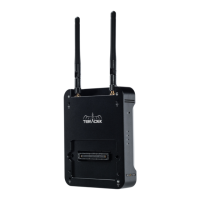
Bolt Manager allows you to congure, pair, and upgrade your Bolt device. Bolt Manager is available as
software for Mac and Windows at www.teradek.com/pages/downloads, or for purchase as a standalone
device. NOTE: Available conguration settings will dier between Bolt models.
• SELECT QUALITY - Modify or balance the range and reliability of your signal. Select Maximum
Range when other sources of interference might be present, or Maximum Quality for complex, high
contrast situations.
• SELECT FREQUENCIES - Congure the transmitter and receiver to use the same frequencies.
• SELECT BROADCAST MODE - Increase transmission range and prevent multiple receivers from
interfering with each other when placed close to one another.
OSD is selected, the OSD will be displayed unless deactivated by the joystick.
• Reset All Settings - Reset all congurable options to their factory defaults.
• Device Info - Displays the model and serial number.
The following conguration settings are available:
7


 To Next Page