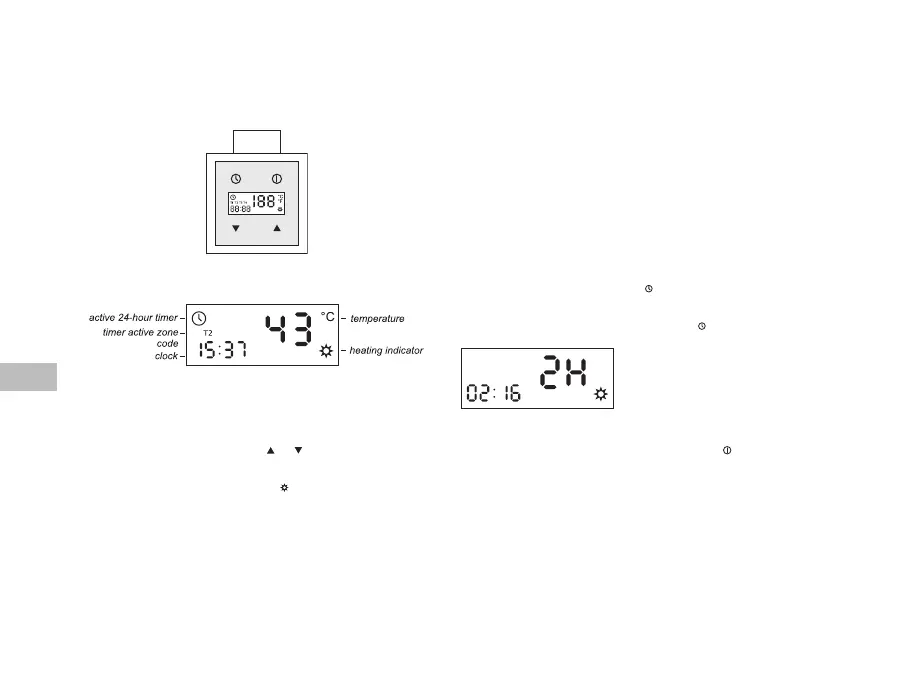
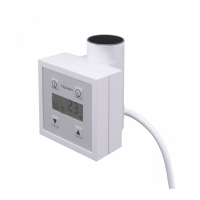
Control Panel
MANUAL MODE
Heang element heats the radiator that it is installed in and, at the same me, controls
its temperature.
For temperature regulaon please use buons and . LCD display panel shows current
temperature measured inside the radiator. Aer sengs have been modied, display
panel will ash showing the newly set temperature for a few seconds and will go back to
displaying current temperature. Heang indicator will come up on the display panel if
the newly set temperature is higher than the current one.
In order to view the set temperature, please press any of the parameters regulaon
buons once.
Construcon of the device as well as physical characteriscs of the heang agent inside
the radiator inuence the way in which the heat is distributed – the temperature of the
boom pipes of the radiator (especially the two located at the very boom of the radia-
tor) may be lower than the temperature of the remaining parts of the radiator – this
is a normal phenomenon.
Turning the device on does not mean that it uses the same maximum power for the whole
me it is on. On turning the device on, it operates with the nominal power for a short
period of me in order to heat up the radiator to the set temperature. Aer that it turns
itself on and o periodically, using only as much energy as it is required to maintain the
set temperature of the radiator for current external condions.
When the device is o and temperature around the temperature sensor drops down
below 6°C, the device will switch on automacally. This is to prevent the heang agent
inside the radiator from freezing. Display panel will show AF code.
DRYER MODE
Dryer mode allows to turn the device on for a certain length of me, ie. in order dry
a towel.
You switch the dryer on by quickly pressing once –
Any subsequent quick pressing of the buon
will prolong the drying me by 0.5 hour up to 4 hours. Having reached
4 hours, the clock goes back to the start on pressing the
buon again.
Small numeric eld displays exact drying me le,
while the big one shows the same me rounded
to a full hour.
If the device had been o before the dryer was
acvated, it will turn o automacally aer the
dryer mode is nished.
In order to interrupt the dryer mode at any me, please press .
CLOCK
Current me (hh:mm) is displayed both when the device is on and when it is o with an
excepon of the dryer acvaon me or when the device is being programmed.
me sengs
(clock/dryer/mer) –
– on/o buon
– parameters regulaon



 To Next Page