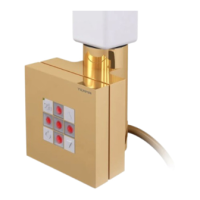
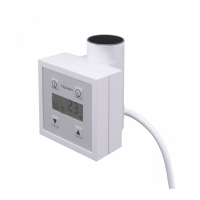
Heang element unit heats the radiator that it is installed in and precisely controls its
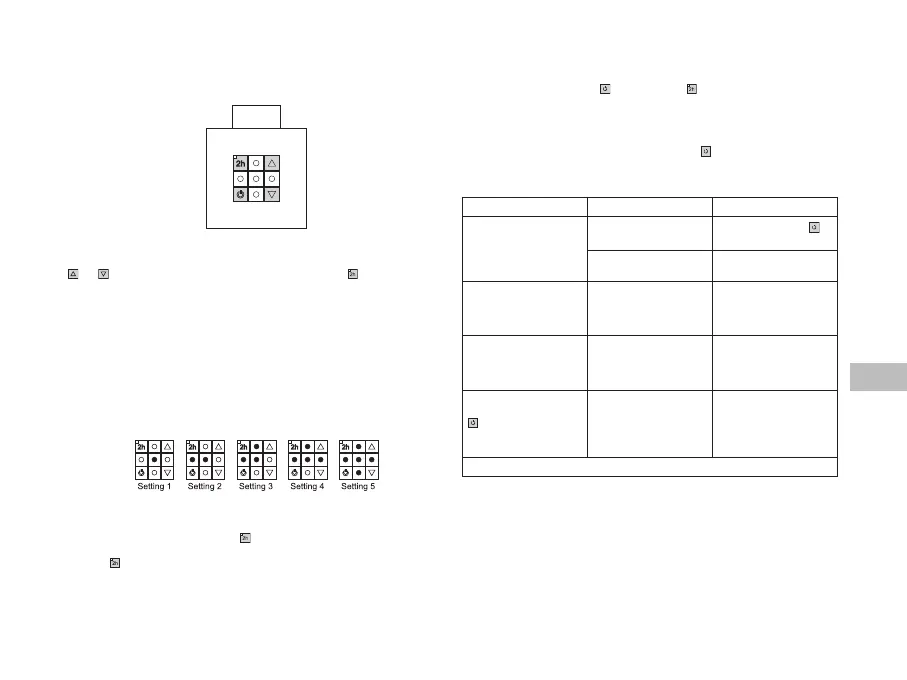
temperature at the same me. The device has 5-step temperature regulaon (buons:
and ) within temperature range from 30-60 degrees Celsius. buon is used to
turn the device on and o and to deacvate the TIMER Mode (if acve).
Construcon of the heang element unit as well as physical characteriscs of the heang
agent cause that the boom pipes (especially the two at the very boom of the radiator)
may have a lower temperature than the remaining parts of the radiator – this is a normal
phenomenon.
Turning the device on does not mean that it uses the same maximum power for the
whole me it is on. On turning the device on, it operates with the nominal power for
a short period of me in order to heat up the radiator to the set temperature. Aer
that, it turns itself on and o periodically, using only as much energy as it is required
to maintain the set temperature of the radiator for current external condions.
TIMER Mode is acvated by pressing the buon (yellow diode turns on).
1. TIMER Mode can be used to TURN OFF the device:
Press buon while the device is on – the device will turn o aer 2 hours.
2. TIMER Mode can also be used to TURN the device ON:
Turn the device o using the
buon, press the buon – the device will turn on
aer 2 hours, with the same temperature it was set to prior to being turned o. If
the required temperature is dierent to the one from before when the device was
turned o, set the required temperature before turning the device o.
TIMER Mode can be turned o in at any me by pressing
buon.
Problem
Device is connected to
electricity, no diodes are
on, heang element does
not heat.
Device is o.
Turn the device using
buon.
Connecon problem. Check the connecon,
plug and the socket.
Heang element does not
heat, diodes are ashing
alternately.
Device indicates emer-
gency, thermal fuse is
damaged.
Turn the device o and
wait for the radiator to
cool down. Turn it back
on again.
Heang element does
not heat, diodes indicate
correct operaon.
Thermal fuse is burnt
or heang element is
damaged.
Turn the device o and
wait for the radiator to
cool down. Turn it back
on again.
Device heats despite
being turned o the with
buon.
Electronics damage. Disconnect the device
completely from the
installaon, wait for the
radiator to cool down and
turn it back on again.



 To Next Page