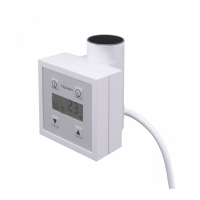
It is possible to set 5 temperature levels in the local mode. Sengs are modied with
and buons. Possible working levels are as follows: 0 (does not heat) and from 1 to 5,
each seng indicang a temperature range from 30 to 60 degrees Celsius accordingly.
icon indicates that the device is heang.
buon is used to turn the mode on and set the me aer which the device is to be
turned o automacally.
In order to acvate the Dryer Mode:
– Press buon shortly – display panel will show dryer working me of 1H (1 hour)
– Every subsequent pressing of the buon will prolong dryer working me (2-4
hours)
In order to deacvate the Dryer Mode, set the me to 0H (press the buon a few
mes) or turn the device o and back on.
While the Dryer Mode is on you can modify:
– temperature of the radiator – buons and .
– Dryer working me le – buon
The unique feature measuring the actual working me of the heang element adds up
the periods during which the device was using nominal electric power (during standard
operaon the device regulates the temperature and uses very lile power thanks to the
fact that it turns itself o for longer periods).
It can be checked at any me how much electricity has been used, ie. during all day’s
operaon. In pracce it turns out to be up to a few dozens of percent less!
The number displayed on the meter reects the actual energy consumpon, therefore
you can measure the actual cost of energy used by mulplying the number on the meter
by the nominal heang output of the heang element and the price of electricity (1 kW).
1. Meter reading:
Press and hold the buon – the display panel will show leer E followed by 4 digits
separated by a hyphen (actual operang me of the device), ie. E..0..2..-..1..5 means
that the device was actually working for 2 hours and 15 minutes from the last me
the meter was zeroed.
2. Meter reseng:
Press and hold the buon unl E 00-00 comes up.
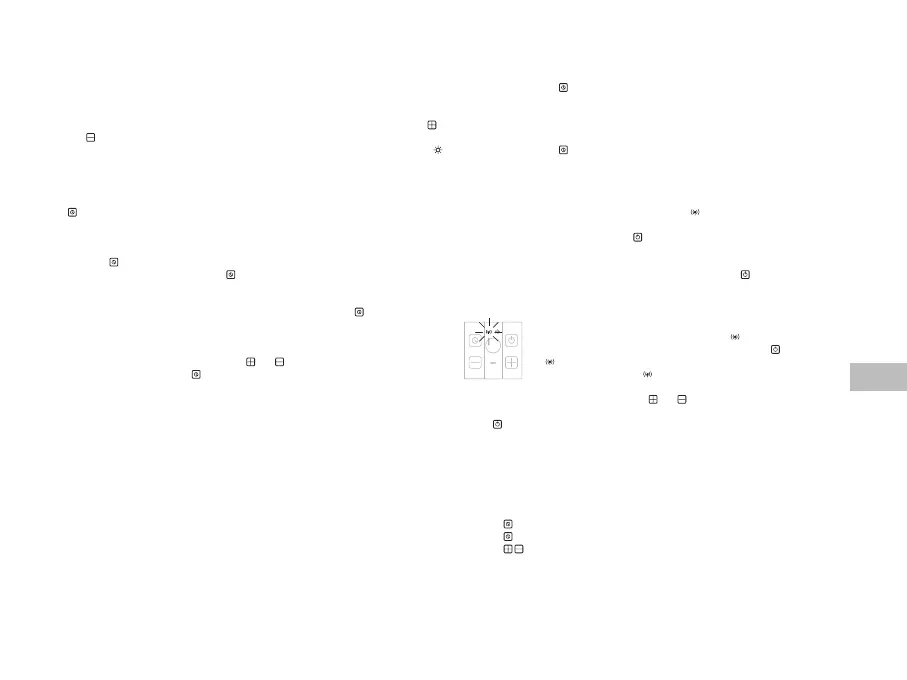
The device has been designed to work in a set, therefore, it will start searching for an IR
transmier signal immediately aer being turned on ( icon will start ashing). If the
device does not nd an acve IR transmier, the diode will keep ashing.
In order to turn it o, press and hold the buon unl the diode stops ashing which
will mean that the controller is no longer searching for the IR transmier and will keep
working in the local mode only.
In order to go back to work with IR transmier, press and hold the buon.
Controller should start searching for an IR transmier signal immediately
aer it has been turned on – this is indicated by icon ashing on the
display panel. Should this not happen, press and hold the buon unl
the icon starts ashing.
Aer being connected, the zicon will stay on and a dash will appear.
When working in the remote mode, buons and are not acve (except when using
the Dryer Mode).
Buon :
– press it short to turn the device o
– press and hold to switch to the Local Mode.
Dryer mode (mer).
Dryer in the Remote Mode is operated in exactly the same way as in the Local Mode,
meaning that it is operated via the KTX 4 controller:
– press buon to acvate the Dryer
– press buon a few mes to modify Dryer operang me
– press buons to set the required temperature level during Dryer operaon (see:
Local Mode operaon – Dryer Mode).
The controller will automacally switch to the Remote Mode on expiry of the set me.


 To Next Page
 Loading...