RAID Manager Pro allows you to manage your RAID storage. Therefore, if you plan to create RAID on your device, manage
arrays, or capitalise on other advanced features, you should download the appropriate version of RAID Manager Pro for
your operating system (either Windows or Mac).
One of RAID Manager Pro’s most helpful features is the way it helps users create disk arrays and manage arrays within
the device. This ensures data security while increasing storage efficient.
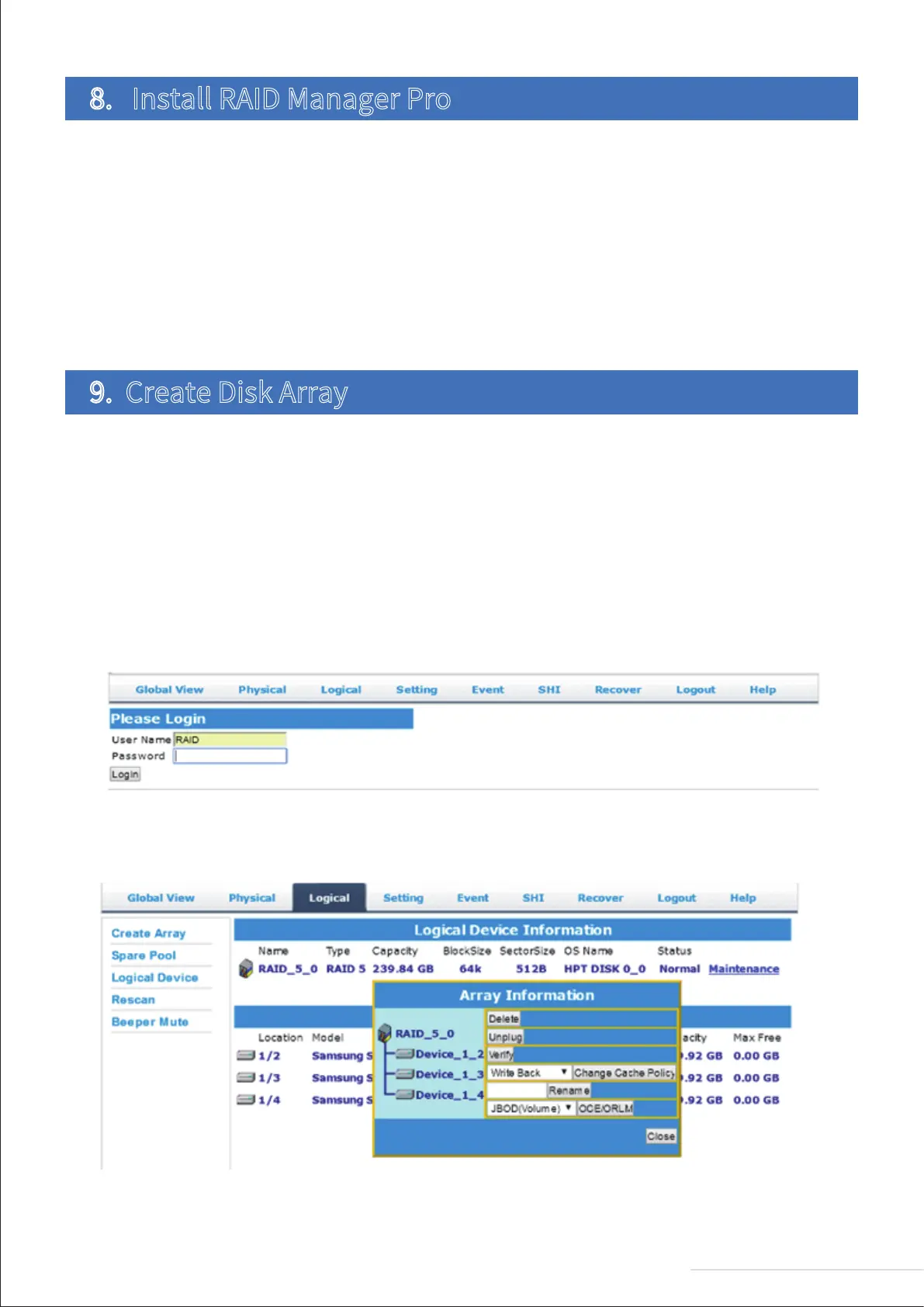
3.If your hard drive already contains disk array information, delete it. You can do this by going to Logical > Logical Device
> Maintenance. Please note that you can skip this step if the product does not contain a disk array.
Follow the steps below to create disk array:
1.Connect your Thunderbolt 3 device to a computer;
2.Power on the device;
3.Start RAID Manager Pro;
4.Type in your username and password, then click “Login”.
Please note that the default username and password are RAID and hpt, respectively (the password can be changed after
login.
Follow the steps below to download and install RAID Manager Pro:
1.Visit the “Download” on TerraMaster’s official website. Choose the relevant product model, and then select RAID
Manager Pro from the download list;
2.Unzip the file to your desktop.
a.For Windows users, please ensure you install the software as an administrator;
b.For Mac users, please run the “install.command” file. When RAID Manager Pro has been installed, a desktop shortcut
will appear.
8. Install RAID Manager Pro
9. Create Disk Array
6
Model:D8 Thunderbolt 3



 To Next Page