The LED flashes red and blue.
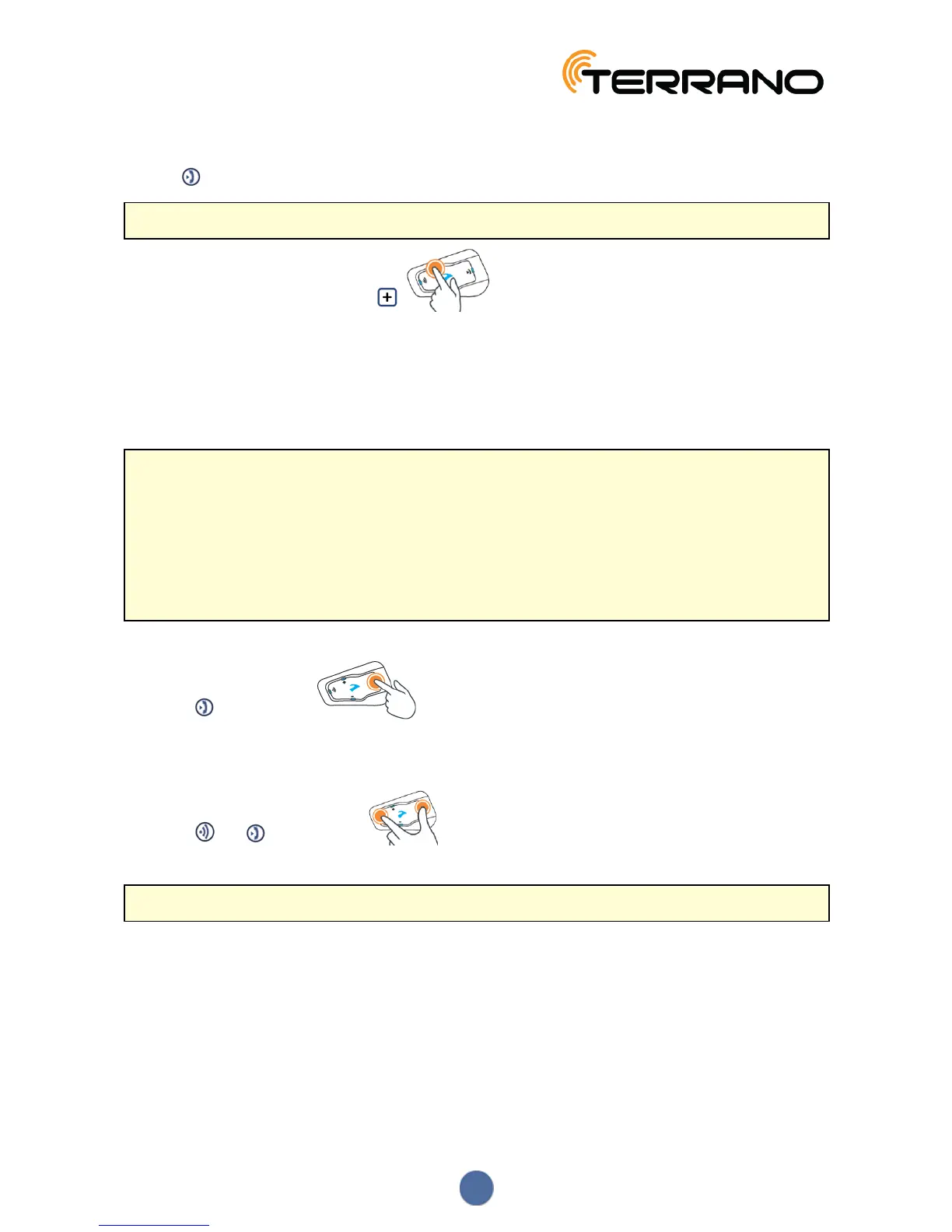
3. Tap twice. The LED starts flashing red and green.
If you are pairing a GPS device, make sure you perform the next step.
4. If you are pairing a GPS device, tap .
The LED flashes slower.
5. On the device you are pairing, search for Bluetooth devices (as described in its instructions).
6. When your TERRANO XT appears in the list of available devices, select it.
If prompted for a PIN or Passkey, enter 0000 (four zeros).
The device confirms that pairing has succeeded and the LED flashes purple for 2 seconds.
● If pairing is not completed within 2 minutes, the unit automatically returns to Standby.
● If you have paired two different mobile phones directly to your TERRANO XT, set one as default for
making calls (see Setting the Default Mobile Phone on page 18).
● Not all Bluetooth mobile phones broadcast Bluetooth Stereo music (A2DP), even if the phone has an MP3
player function. Consult your mobile phone’s user manual for more information.
● Not all Bluetooth GPS devices allow connection to Bluetooth audio devices. Consult your GPS User
Manual for more information.
To cancel the pairing process:
● Press for 2 seconds.
● The LED stops flashing red and blue or red and green.
To reset all Bluetooth device pairing:
● Press and for 5 seconds.
In all battery states, the LED flashes purple slowly five times, confirming that pairing has been reset.
Resetting all Bluetooth device pairing also resets all Bluetooth intercom pairing.
8


 To Next Page