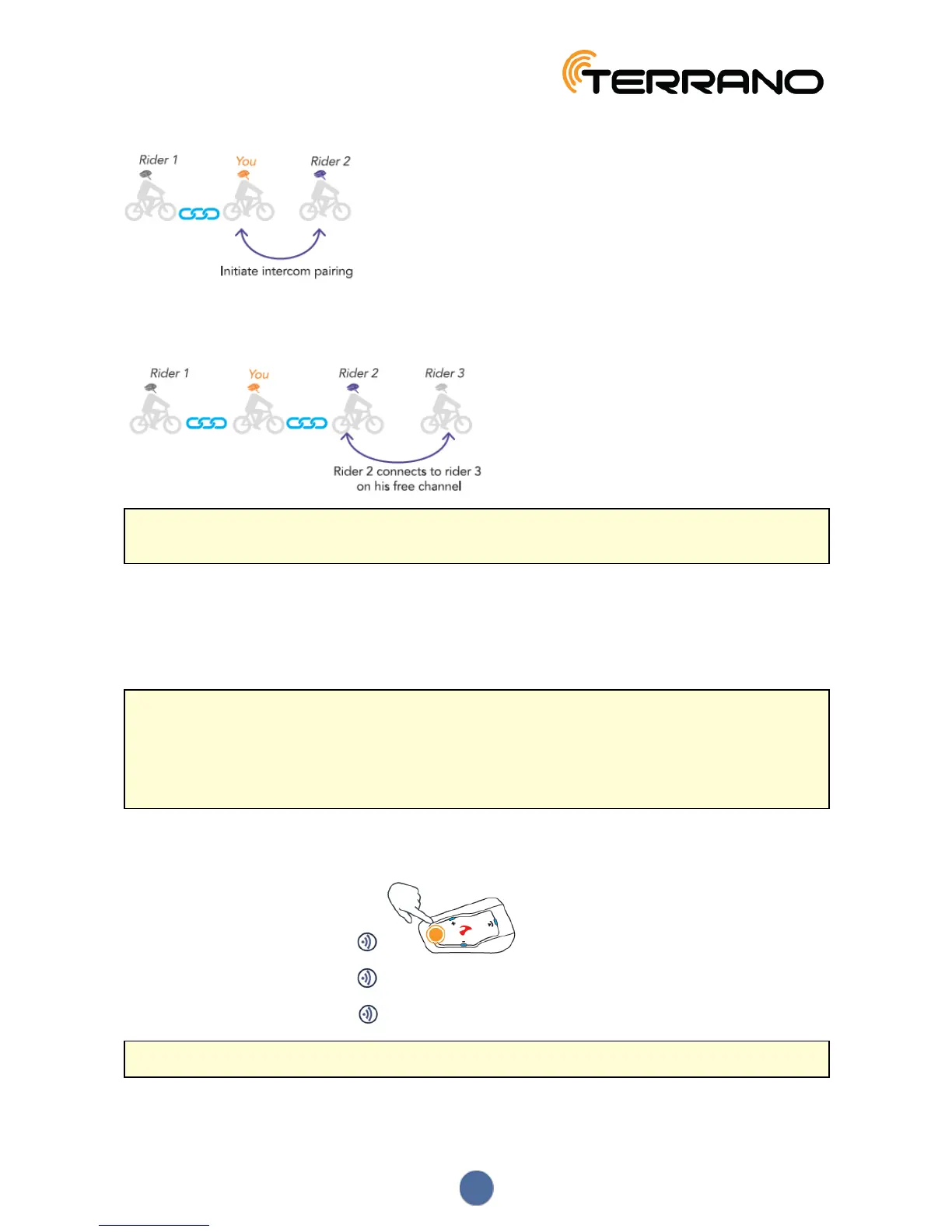
In a 4-way intercom conference call, for example, you are connected to three riders, who may also be connected
to an additional rider. You are directly connected to Rider 1 and Rider 2, and connected to Rider 3 through Rider
2's free channel. All four riders are now all connected in a 4-way Bluetooth intercom call.
Terrano recommends that during a 3-way or 4-way intercom conference call, riders be connected to only one
Bluetooth intercom call so they can continue to hear mobile phone and GPS announcements.
Using parallel audio streaming, you can also speak on a 3-way or 4-way Bluetooth intercom call while listening to
FM radio. The Bluetooth intercom volume remains the same while the FM radio plays at a reduced volume in the
background.
For information on making Bluetooth intercom calls, see Using the Bluetooth Intercom on page 11
4.2.3 USING THE BLUETOOTH INTERCOM
● To make and receive Bluetooth intercom calls, you must first pair the Bluetooth, see Bluetooth Intercom
on page 10.
● During a 3 or 4-way Bluetooth intercom conference call while riders are range (1.2 km / 3,900 ft), riders
using both Bluetooth intercom channels cannot receive phone calls or GPS instructions while the call is in
progress.
4.2.3.1 STARTING/ENDING BLUETOOTH INTERCOM CALLS
To start or end a Bluetooth intercom call:
● To start a call on Channel A, tap .
● To start a call on Channel B, tap 2 times.
● To start a call on Channel C, tap 3 times.
If Channels A and B are connected, VOX opens a Bluetooth intercom 3-way call.
11


 To Next Page