12
USING THE ALARMS
SETTING THE ALARMS
You can set two completely separate alarm times (ALARM
1 and ALARM 2) and activate either or both of them to
wake you with radio or a buzzer. You can also pre-set the
station preset and volume settings that the alarms will
wake you with.
Setting the alarm times:
Switch on the radio (Alarm settings cannot be changed •
when set to Standby).
Press the • ALARM/SNOOZE button once to set Alarm 1
or twice to set Alarm 2.
In the examples to follow, Alarm 1 is to be set.
‘Alarm 1 Setup’ will appear on the display.
Press the • SELECT button if you want to set Alarm 1.
‘Alarm 1 Wizard’ will appear on the display.
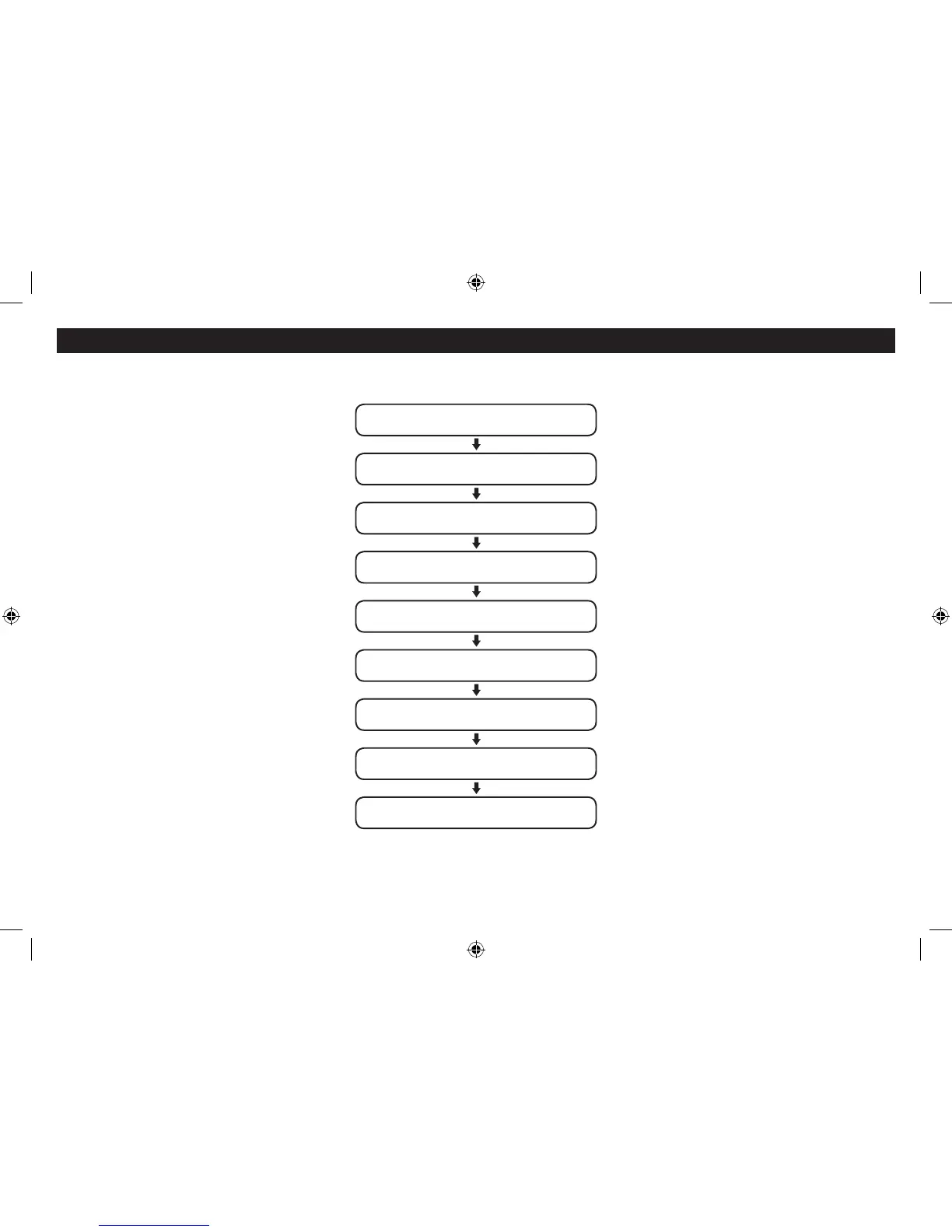
The alarm is now set in the sequence shown in the next
column.
NOTE: Press the ALARM/SNOOZE button at any time to
exit alarm setting, leaving the settings unchanged.
To make a change to a setting:
Turn the SCROLL control to step through the options
available for a setting (or times when clock setting).
When you have nished changing a setting, press the •
SELECT button to conrm the setting and move on to
the next setting in the sequence.
Repeat the previous two steps to change each setting •
as required.
Saving alarm settings:
Your alarm settings are automatically saved when you
complete the last setting and press the SELECT button.
The display will conrm with the words ‘Alarm saved’.
Alarm repeat:
The alarm(s) will repeat according to the Alarm Repeat
setting you made when setting the alarm.
Daily - The alarm will sound every day.•
Weekdays - The alarm will sound on weekdays, but not •
at weekends.
Weekends - The alarm will sound on weekends, but •
not on weekdays.
Once - The alarm will sound only once. If this setting •
has been chosen, an extra option is added for you to
set the date that you want the alarm to sound.
ALARM SETTING SEQUENCE
*NOTE:- When changing the Alarm radio preset setting,
choose the ‘Last listened’ option to wake to the last station
you played before setting the radio to Standby.
Alarm 1 Time
Set the alarm hours, then minutes
Alarm 1 Duration
Set the duration of the alarm
Alarm 1 wake-up mode (Source)
Choose from DAB, FM, Buzzer
Alarm 1 preset*
Choose a preset for alarm modes
Alarm 1 Repeat
Set the alarm to sound Daily, Once, Weekends or Weekdays
Alarm 1 Date
Option appears if Repeat is set to ‘Once’
Alarm 1 Volume
Set the volume for Alarm 1
Alarm 1 On/O
Choose to set Alarm 1 On or O
Alarm Saved
The alarm settings have been saved.


 To Next Page